

Price:CA$7.16
Simple Countdown Timer for OBS | HTML Stream Widget for Twitch, YouTube
You can only make an offer when buying a single item.
Highlights
Simple Countdown Timer for OBS (HTML Widget)
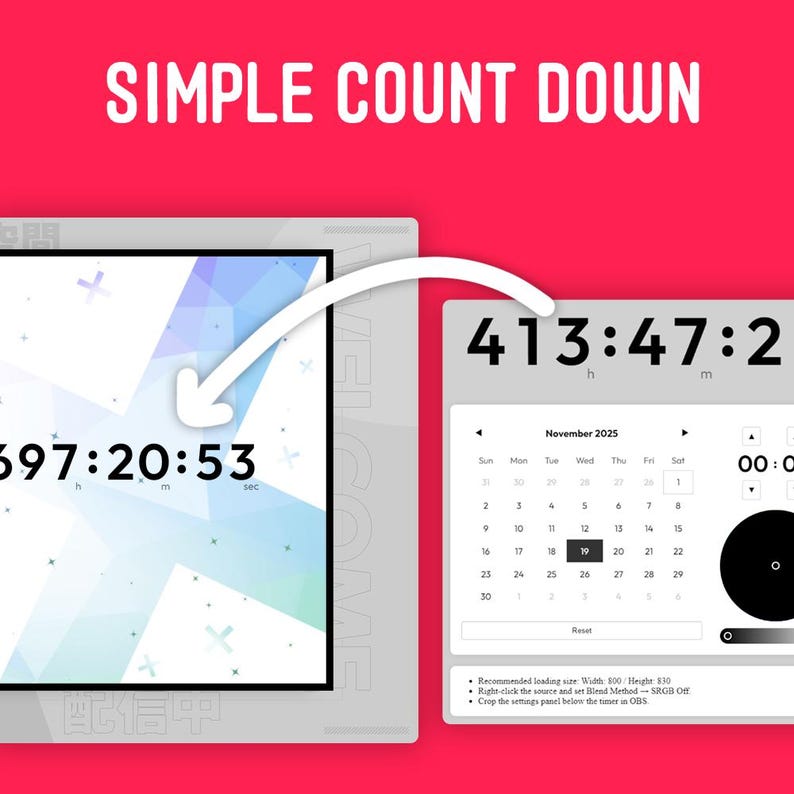
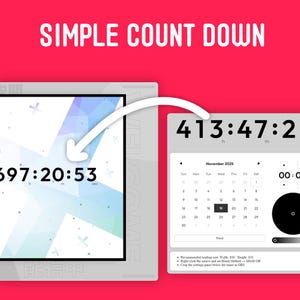
Add a clean, simple countdown timer directly to your stream!
This is a simple HTML widget for OBS. It allows you to display a countdown to any specific date and time right on your stream layout.
Because of its minimalist design, it's perfect for any occasion:
Birthdays and Anniversaries
New Game Release Dates
New Year's Eve Countdown
Stream Starting Soon / Ending
...and any other special event you want to build excitement for!
======================
■ Features
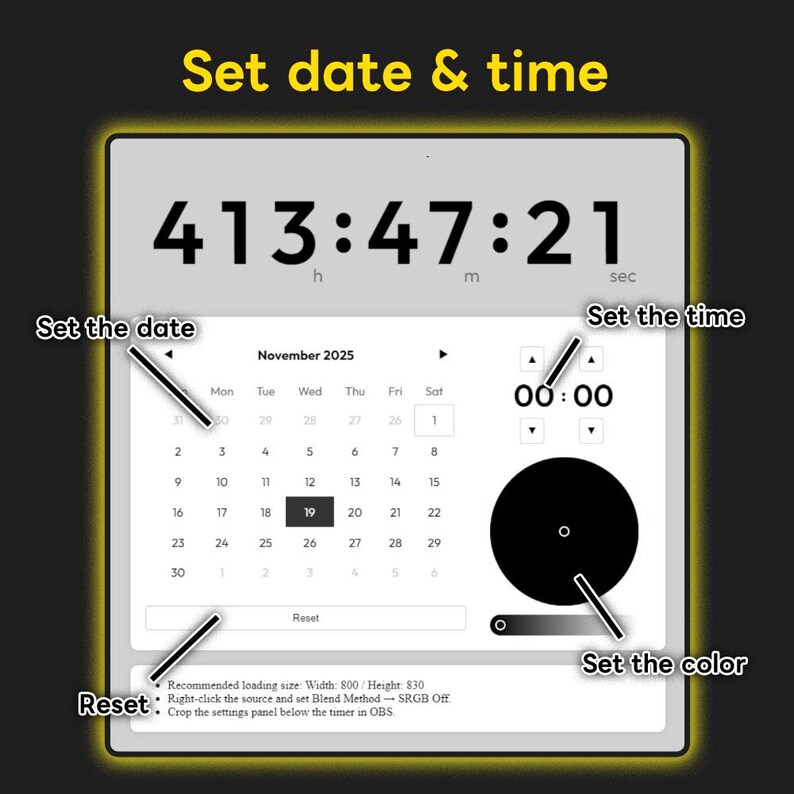
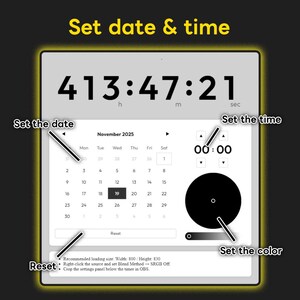
★ Easy Setup: Just pick the target date and time! ★ Customizable: Change the text color to match your brand or stream design. ★ Simple Reset: Easily reset the settings back to default.
■ How to Use (Setup Guide)
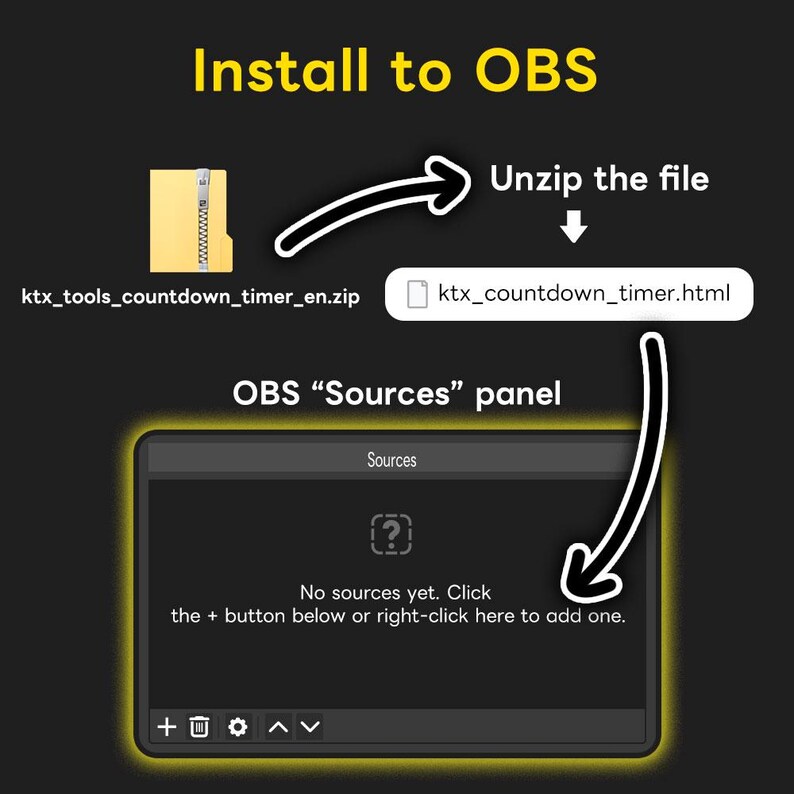
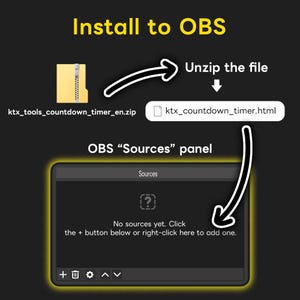
Step 1: Unzip the File
First, unzip the downloaded ZIP file.
Step 2: Add HTML File to OBS
Drag and drop the ktx_countdown_timer.html file directly into your OBS 'Sources' panel.
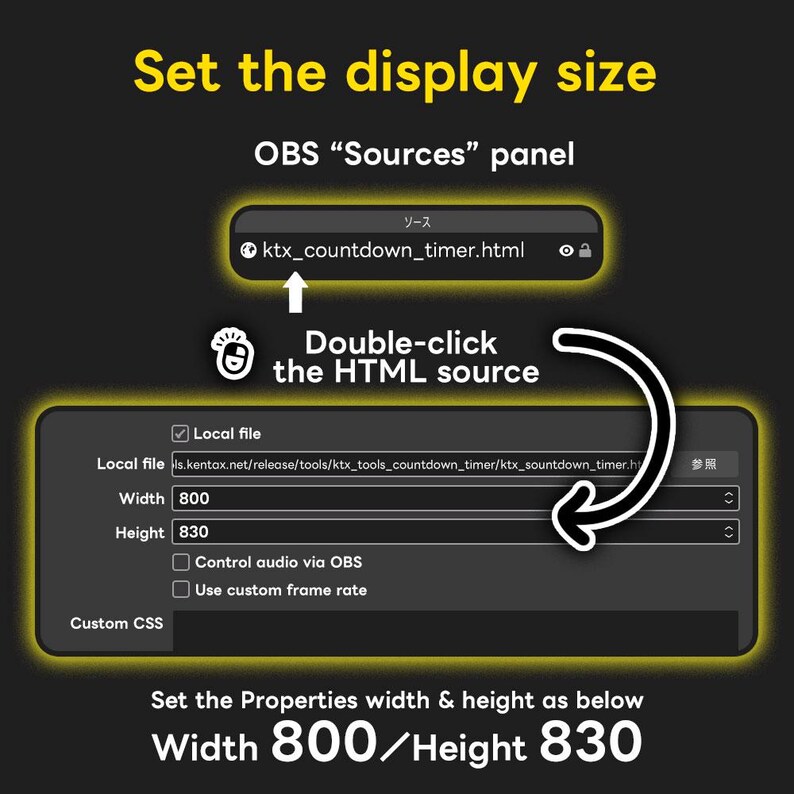
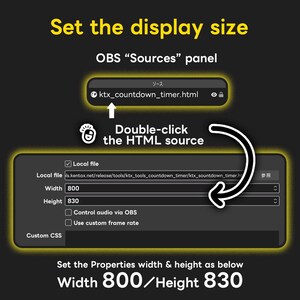
Step 3: Adjust Timer Size (Properties)
Double-click on the ktx_countdown_timer.html source in your list to open the Properties window.
Change the Width and Height as follows:
Width: 800
Height: 830
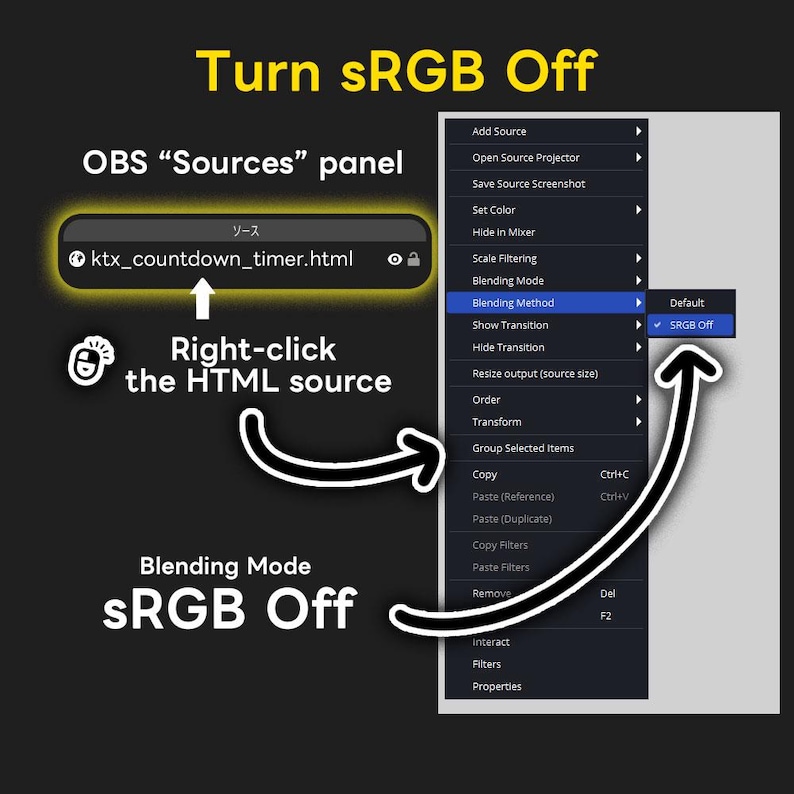
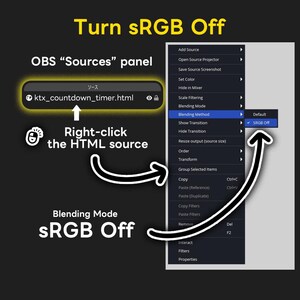
Step 4: Set Blend Method
Right-click on the ktx_countdown_timer.html source in your list.
Go to the 'Blend Method' (or 'Blending') section in the menu.
Check the box for 'Disable SRGB'. (This ensures the colors and transparency display correctly).
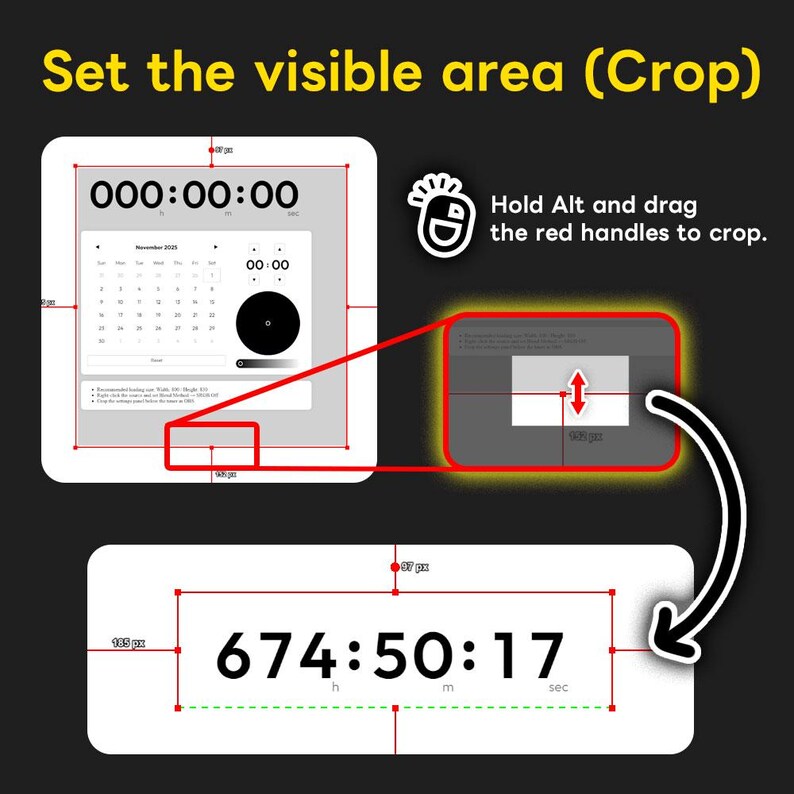
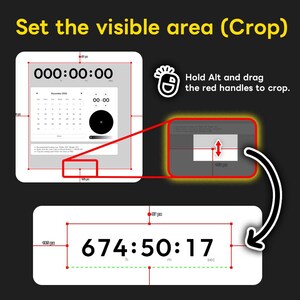
Step 5: Crop the Display Area
Use the OBS cropping function to show only the clock/timer area.
How to Crop: Select the source. Hold the Alt key (or Option key on Mac) and drag the red border lines to hide the unwanted parts (like the settings buttons).
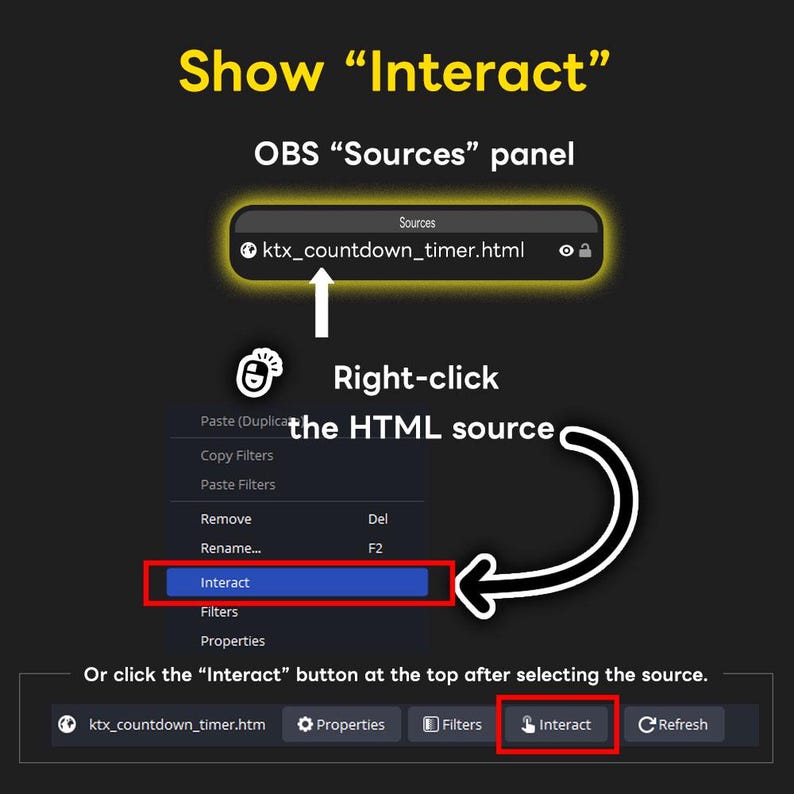
Step 6: Access the Settings Panel
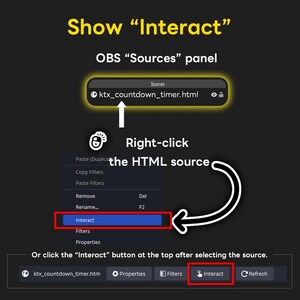
Right-click on the ktx_countdown_timer.html source in your OBS Sources list.
Select 'Interact' from the menu.
A new window (the 'Interact' panel) will open. Use the buttons inside this panel to set your countdown date, time, and color.
======================
■ Need Help?
If you have any questions or issues, please don't hesitate to send me a message!
Instant Download
Your files will be available to download once payment is confirmed. Here's how.
Instant download items don’t accept returns, exchanges or cancellations. Please contact the seller about any problems with your order.
Etsy Purchase Protection
Shop confidently on Etsy knowing if something goes wrong with an order, we've got your back for all eligible purchases —
see programme terms

Captcha failed to load. Try using a different browser or disabling ad blockers.
Be the first to review this item

More from this shop
Visit shop-
Digital download
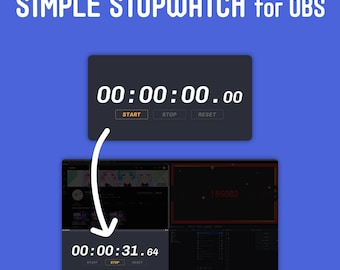
Minimalist OBS Stopwatch | Simple Stream Timer Widget | Clean Twitch Overlay Asset for Streamers
CA$7.16
-
![Live2D VTuber Model [Ready to Use] - White Girl](https://i.etsystatic.com/59675003/r/il/5ae6e6/7600062181/il_340x270.7600062181_3pjf.jpg)
Digital download
Live2D VTuber Model [Ready to Use] - White Girl
CA$55.99
-

Digital download
Premade Live2D VTuber Model – Nurse Avatar | Fully Rigged, VTube Studio Ready, Commercial Use OK
CA$78.96
-

Digital download
Premade Vtuber Live2D - Nemophila Blue Girl – for VTube Studio
CA$78.96
-
Digital download
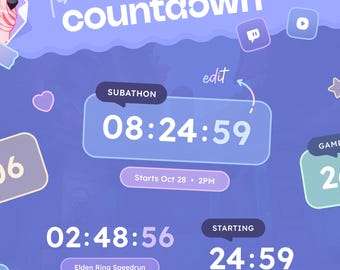
Aura Countdown Widget ⟢ Countdown & Stopwatch Timer • Chat commands • Fully customizable ⟡ Twitch Youtube Streamelements OBS
CA$19.96
-
Digital download
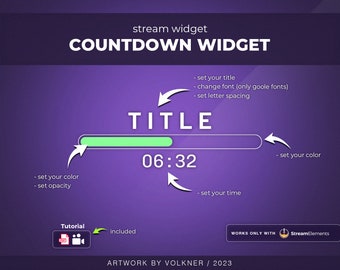
Countdown Widget | Stream Timer | Twitch/Youtube for Streamers | Streamelements | OBS
Sale Price CA$10.77
Original Price CA$14.36
-
Digital download
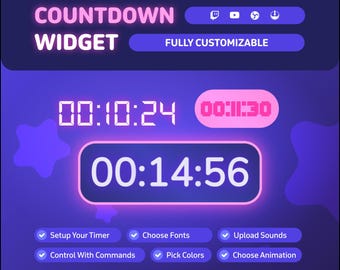
Stream Countdown Widget • Countdown Timer for Twitch and YouTube Streamers • Timer Animations • Customizable Design (StreamElements)
Sale Price CA$11.49
Original Price CA$22.97
-
Digital download
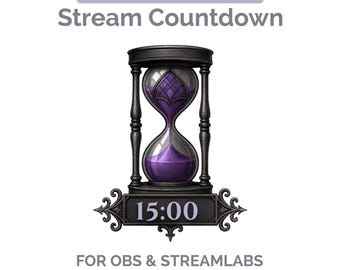
Interactive Stream Countdown | OBS and Streamlabs Timer | Custom Themes & Live Controls
Sale Price CA$18.09
Original Price CA$20.10
-
Digital download
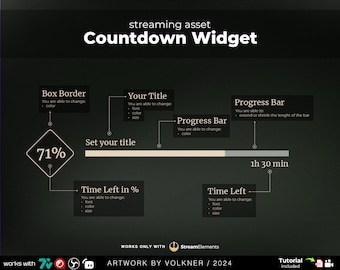
Elegant Countdown Widget | Stream Timer | Twitch/Youtube Overlay for Streamers | Streamelements | OBS
Sale Price CA$8.61
Original Price CA$11.49
-
Digital download
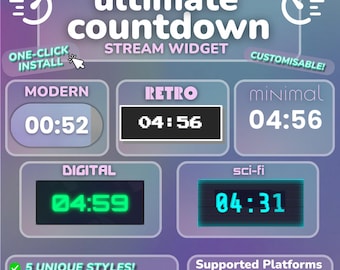
Countdown Widget For Twitch | 5 Pro Styles, Animated, Chat Controlled | Customisable | StreamElements | StreamLabs
Sale Price CA$15.32
Original Price CA$19.15


