


Low in stock, only 2 left
NowPrice:CA$12.15
Original Price: CA$24.29
50% off
Sale ends on 31 March
WordPress Speed Optimization Plugin | Performance, Cache & Core Web Vitals Booster

Minati
Star Seller
Star Sellers have an outstanding track record for providing a great customer experience – they consistently earned 5-star reviews, dispatched orders on time, and replied quickly to any messages they received.
You can only make an offer when buying a single item.
Star Seller. This seller consistently earned 5-star reviews, dispatched on time, and replied quickly to any messages they received.
- Instant Download
- Your files will be available to download once payment is confirmed. Here's how.
- Instant download items don’t accept returns, exchanges or cancellations. Please contact the seller about any problems with your order.
What to know
About this item
Benefits of WPSupportPro
▶Unlimited Website Usage
▶Lifetime Updates
▶The Products Are From the Original Author
▶The Files Would Be Untouched And Unmodified
▶Files Scanned By Norton And Mcafee
▶Instant delivery with fast downloading speed
▶100% Refund And Satisfaction Guarantee
▶Product Version: latest
▶License: GPL
▶24/7 Chat Support
Before Install Read That
Important Note
Unzip the file downloaded from our website before use. The zip file may include additional files like templates or documentation. Ensure you upload the correct file for installation.
How to Install Plugins
✅Download the latest .ZIP file from GPL Chimp.
✅Log into your WordPress dashboard.
✅Navigate to Plugins > Add New.
✅Click Upload Plugin at the top.
✅Select the plugin’s zip file.
✅Click Install Now to complete the process.
How to Install Themes
✅Download the latest .ZIP file from GPL Chimp.
✅Extract the zip file if required; ensure the main theme and child theme are accessible.
✅Log into your WordPress dashboard.
✅Go to Appearance > Themes.
✅Click Add New, then Upload Theme.
✅Select the theme’s zip file.
✅Click Install Now to complete the installation.
Access Older Plugin/Theme Versions
Our website also hosts older versions of plugins and themes. You can use these to test compatibility with your website or roll back to a previous version in case of bugs or compatibility issues.
If the theme/plugin prompts for a license, you can safely ignore it. We provide pre-activated products using legal keys purchased for your use.
Updating to a New Version
When updates are available, you’ll find the latest versions in your My Account > Downloads section and for Membership customers Download files are available of product pages.
Fixing “Destination Already Exists” Error
Delete the current version of the theme/plugin from your site before installing our premium version to avoid conflicts.
Alternatively, install the Easy Theme and Plugin Upgrades plugin to resolve this issue effortlessly.
Be the first to review this item
Speedy replies Has a history of replying to messages quickly.
Rave reviews Average review rating is 4.8 or higher.
More from this shop
Visit shop-
Digital download
JetPlugins (Crocoblock) - 20 Mega Premium Plugins | WordPress Premium Plugins | Latest Version | License Activation | Lifetime Manual Update
Sale Price CA$12.15
Original Price CA$24.29
-
Digital download
WordPress Marketing Automation Plugin Bundle: FluentCRM, Community, Boards, Forms, Support
Sale Price CA$12.15
Original Price CA$24.29
-

Digital download
Want to Buy WpSupportPro Store | Premium WordPress 50 Plugins Lifetime Update | Priority Wishes | Whatsapp Support | GIFT 50 Wordpress Theme
Sale Price CA$36.46
Original Price CA$72.92
-
Digital download
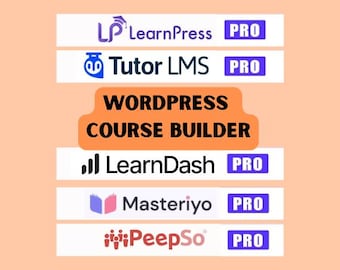
WordPress Plugin Bundle: LearnPress, TutorLMS Pro, LearnDash
Sale Price CA$12.15
Original Price CA$24.29
-
Digital download
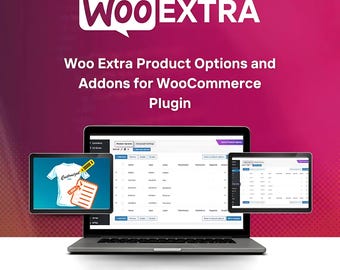
WooCommerce Product Add-Ons Plugin | Extra Options for WordPress & Elementor Stores
Sale Price CA$19.07
Original Price CA$54.50
-

Digital download
Ecommerce With WooCommerce: Step-by-Step Video Course to Build Your Online Store on WordPress
Sale Price CA$5.01
Original Price CA$16.69
-

Digital download
Custom Ecommerce Store Development with WordPress, Woocommerce, Elementor Pro, WoodMart Theme
CA$602.33
-

Design Your Woocommerce Webshop on Wordpress | Develop a Custom Woocommerce Website|Build a Complete ecommerce shop|Customization Fix Errors
CA$6,936.47
-
Digital download
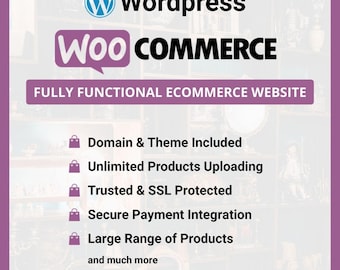
Wordpress Ecommerce Website Development Service | Custom Woocommerce Store Design | Dropshipping Store
CA$248.90
-
Digital download
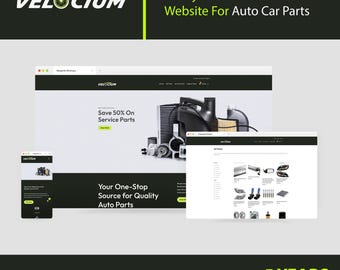
Custom WordPress WooCommerce eCommerce Website Template With 5 Year Web Hosting 1 Year Support and Lifetime Template Updates
CA$173.63


