


NowPrice:CA$40.54
Original Price: CA$50.67
20% off
Sale ends on 17 October
Contractor Job Cost Tracker Spreadsheet, Excel and Google Sheets: Budget vs Actual, Profit, Margin
Here's what's eligible:
- Your order doesn't match the item description or photos
- Your item arrived damaged
- Your item arrived after the estimated arrival window
- Your item didn't arrive or was lost in the mail
You can only make an offer when buying a single item.
Highlights
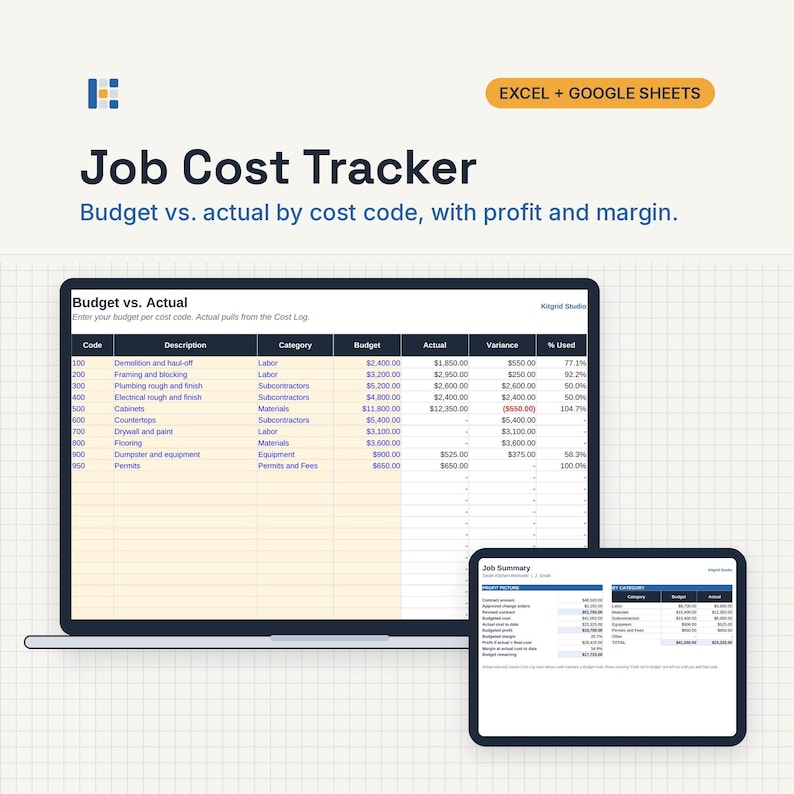
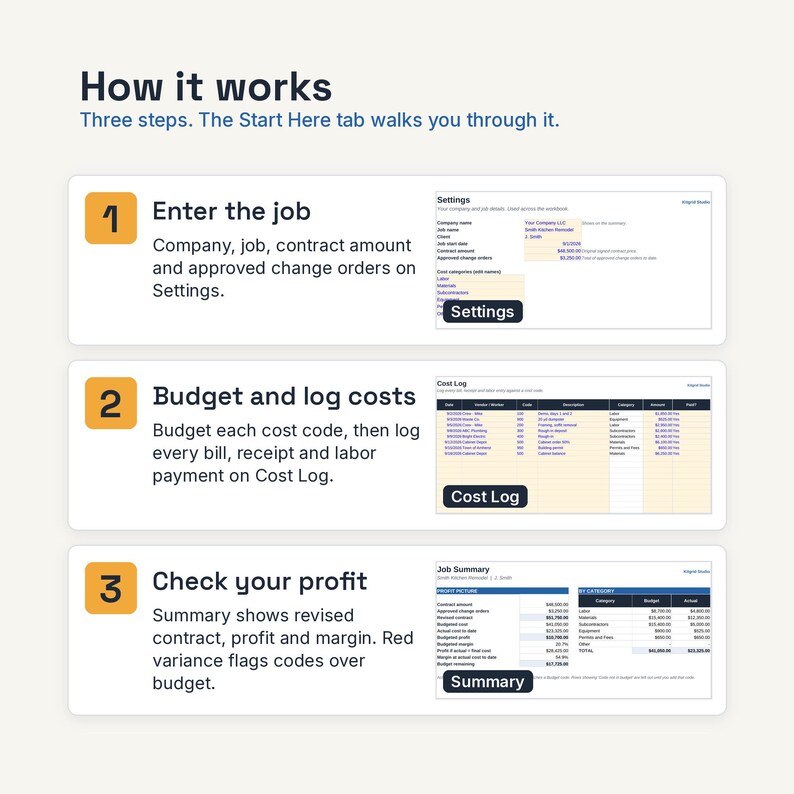
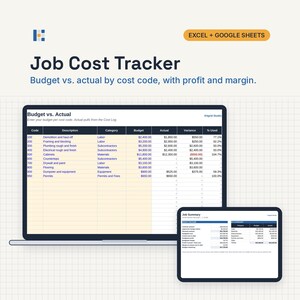
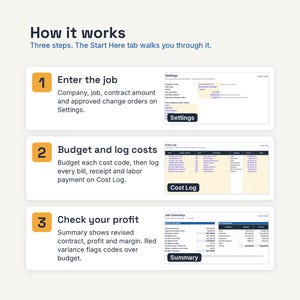
Track every bill, receipt and labor payment against your budget for one job. See the variance by cost code, plus profit and margin, as you log costs.
What it does
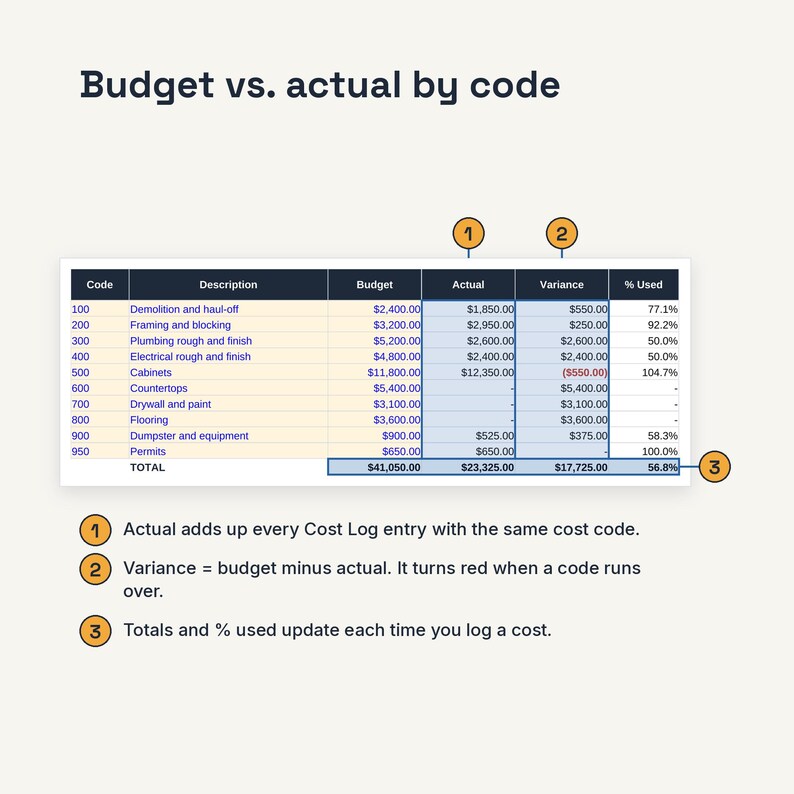
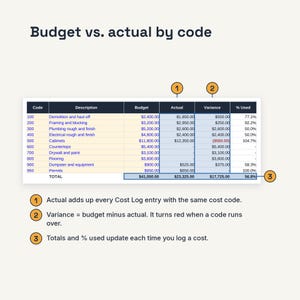
• Set a budget for up to 30 cost codes and see actual cost, variance and % used for each one.
• Log up to 500 bills, receipts and labor entries. The category fills in from the cost code.
• Over-budget codes show in red.
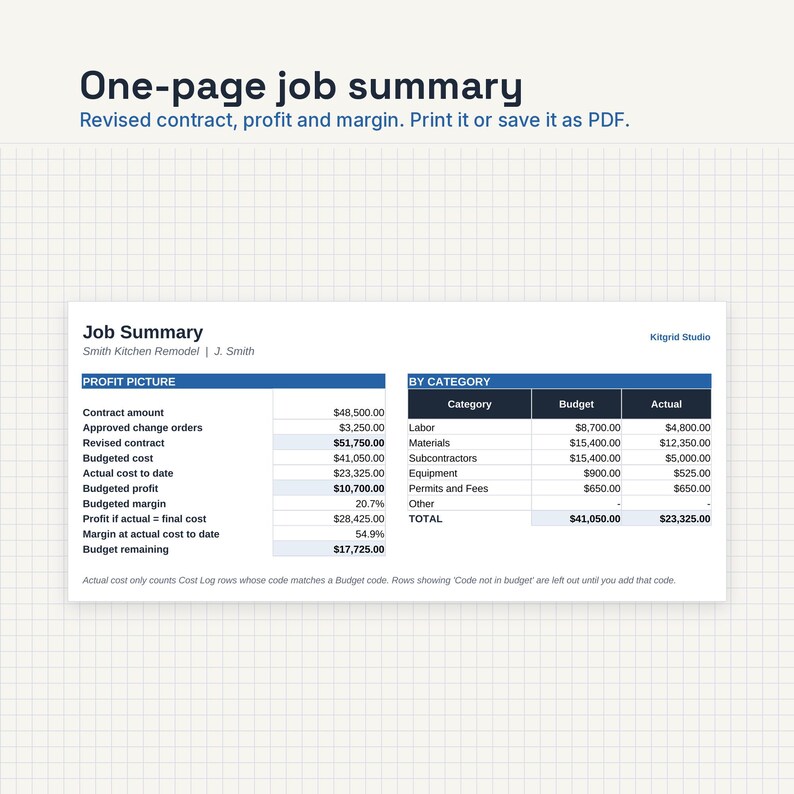
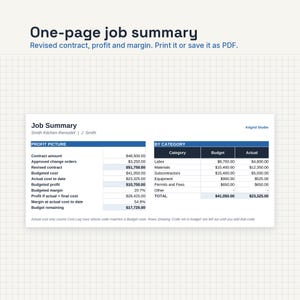
• The Summary shows revised contract, budgeted profit and margin, and profit and margin at actual cost to date.
What's inside
One ZIP file (KitgridStudio-01-job-cost-tracker.zip) with:
• KitgridStudio-01-job-cost-tracker.xlsx for Microsoft Excel
• KitgridStudio-01-job-cost-tracker-GoogleSheets.xlsx for Google Sheets
• KitgridStudio-01-job-cost-tracker-HowTo.pdf: setup steps, the cells you edit, and how to open the kit in Google Sheets
• KitgridStudio-License.pdf: your license terms
• KitgridStudio-Download-Instructions.pdf: how to download and open the files
Tabs in the workbook
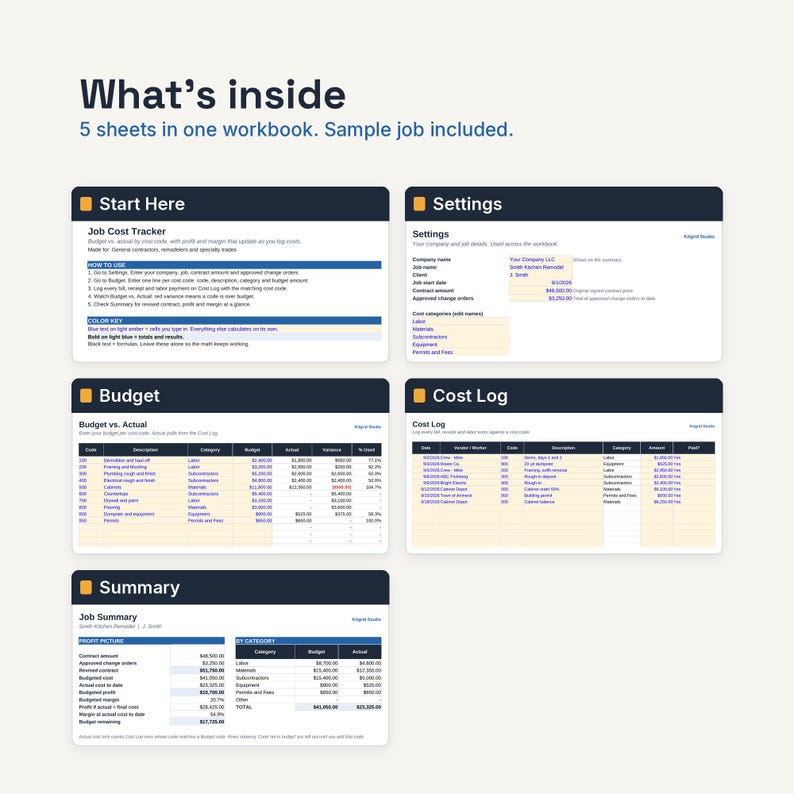
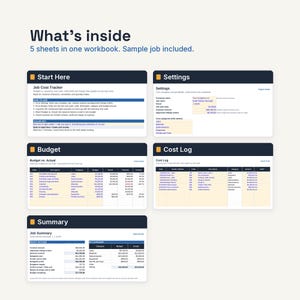
• Start Here: 5 setup steps and the exact cells you fill in.
• Settings: company, job, client, start date, contract amount, approved change orders, and 6 cost categories you can rename.
• Budget: 30 cost code lines (code, description, category, budget) with actual, variance and % used.
• Cost Log: 500 rows (date, vendor or worker, code, description, amount, paid yes or no). Flags any code that is not in the budget.
• Summary: revised contract, budgeted cost, actual cost to date, budgeted profit and margin, budget remaining, and budget vs actual by category.
Sample data: A $48,500 kitchen remodel with 10 budget lines and 8 cost entries, so you can see how it works before you type over it. Type over it with your own numbers.
Tested before release
Both files were tested with the sample data in Excel (Excel for the web) and Google Sheets: all 13 expected results matched (totals, single rows, blank rows, cross-sheet values and percentages, each worked out separately), with no formula errors across 625 formulas.
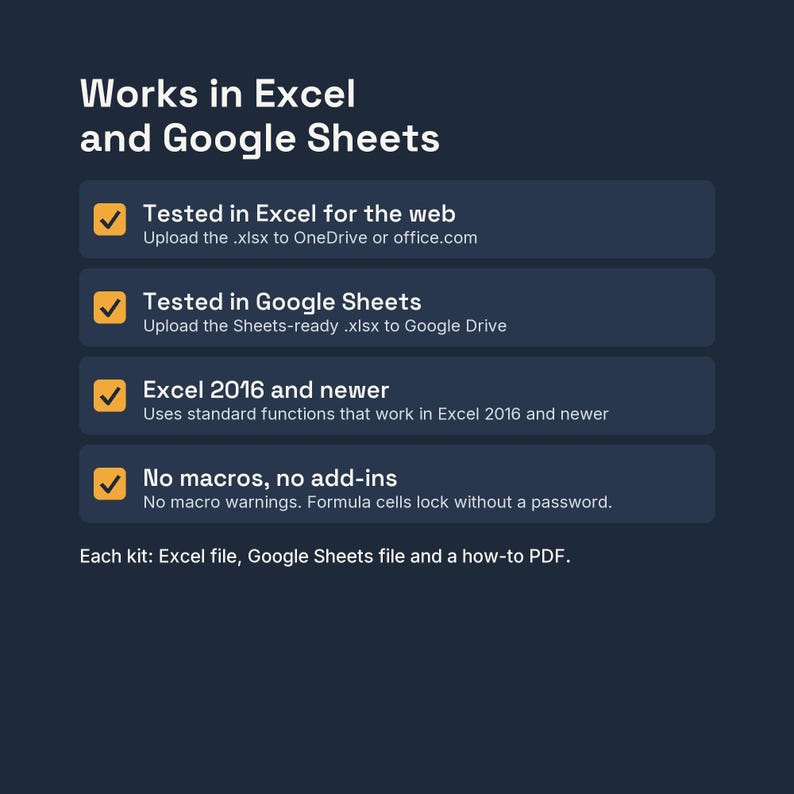
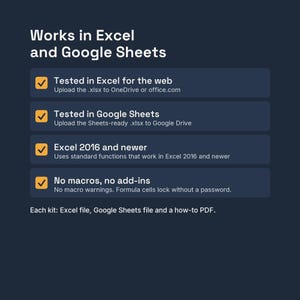
No macros, no add-ins, no external links. Input cells are blue text on light amber. In the Excel file, formula cells are locked with no password so they don't get typed over by accident.
Who it's for
General contractors, remodelers and specialty trades who want budget vs actual on each job without buying accounting software.
Not the right fit if
You want many jobs in one file. This is one job per workbook, so save a copy for each job. For all open jobs on one page, see the Multi-Job Profit Dashboard (WIP) kit. It also does not do bookkeeping, payroll or invoicing.
Works with
Tested in Excel for the web and Google Sheets. Uses standard functions that work in Excel 2016 and newer.
• Excel on the web (free Microsoft account): Yes
• Google Sheets (free Google account): Yes. Upload the Google Sheets file to Google Drive and open it with Google Sheets
• Excel or Google Sheets phone and tablet apps: Opens and edits. Setup and printing are easier on a computer
• Apple Numbers: Not supported. It may open the file, but some formulas and formatting may not carry over
• LibreOffice: Not tested
How delivery works
• Instant digital download. Nothing ships.
• After checkout, go to Your account, then Purchases, then Download Files. Use a browser on a computer or phone; the Etsy app can't download files.
• You get one ZIP file (KitgridStudio-01-job-cost-tracker.zip). Unzip it: on Windows, right-click it and choose Extract All. On a Mac, double-click it.
• Inside: the Excel file, the Google Sheets file, the how-to PDF, the license PDF and the download instructions PDF.
• For Google Sheets, upload the GoogleSheets.xlsx file to Google Drive and open it with Google Sheets.
• In Excel, if a yellow PROTECTED VIEW bar appears, click Enable Editing. Excel does this for every downloaded file.
FAQ
Q: Can I track more than one job?
A: Each workbook tracks one job. Save a copy of the file for each new job. To see all your open jobs side by side, look at our Multi-Job Profit Dashboard (WIP) kit.
Q: What if I log a cost with the wrong code?
A: The Category column shows "Code not in budget" and that cost is left out of the totals until you fix the code or add it to the Budget sheet.
Q: Does it connect to QuickBooks or my bank?
A: No. It is a stand-alone spreadsheet. You type or paste in your costs.
Q: Does it work on a Mac or in Google Sheets?
A: Use the Google Sheets version in any browser, or open the Excel file in Excel on the web. Tested in Excel for the web and Google Sheets. Uses standard functions that work in Excel 2016 and newer. Apple Numbers is not supported.
Q: Can I change the rates, categories and layout?
A: Yes. Rates and defaults sit on the Settings sheet and are examples only, so set them to match your suppliers, crew and market. To change a formula or the layout in Excel, use Review, then Unprotect Sheet (there is no password).
Save with a bundle
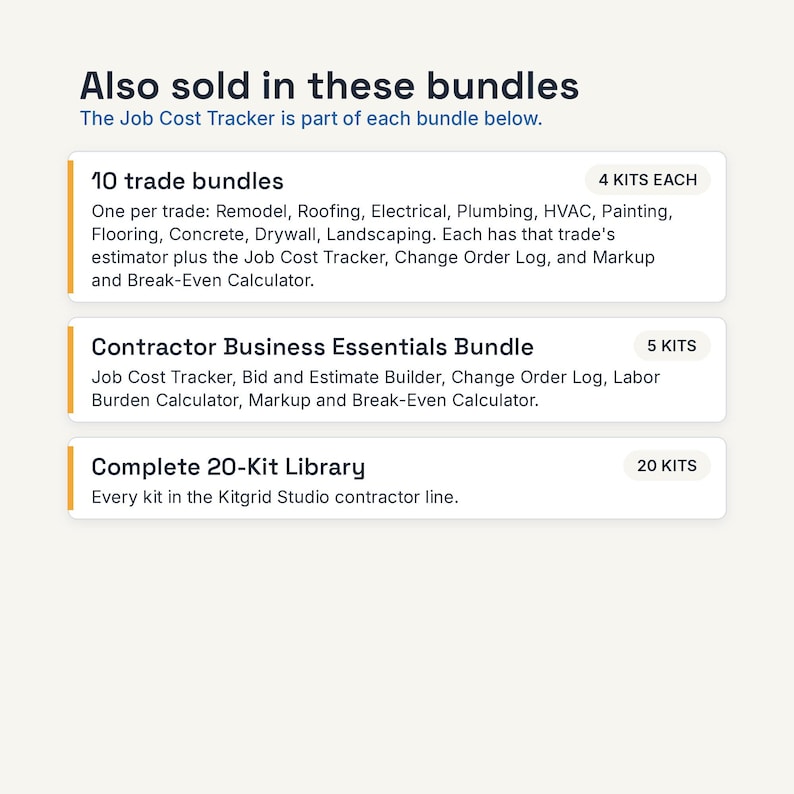
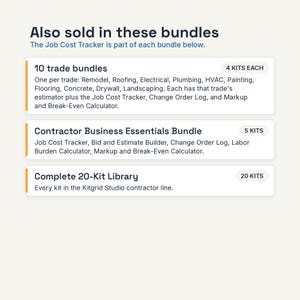
This kit is also in the Contractor Business Essentials bundle, together with: Bid and Estimate Builder; Change Order Log and Form; Labor Burden and True Hourly Cost Calculator; Overhead, Markup and Break-Even Calculator. All 20 kits are in the Complete 20-Kit Library. See the Bundles section of our shop. It is also part of every trade bundle (for example the Roofing Contractor Bundle).
License: one business. Use the kit for your own business's work, on any devices your business controls, and let your own staff use it. Change it however you like. Do not resell it, share the files outside your business, or upload them to any template site. The estimates, invoices and reports you make with it are yours. Full terms are in KitgridStudio-License.pdf.
This is a calculation tool. It is not tax, legal, accounting or engineering advice. Sample data and default rates are examples only. Check your numbers.
How this was made: Designed and tested by Kitgrid Studio with the help of AI tools. AI tools helped draft the formulas, sheet layout and instructions. Every kit is tested with sample data in Excel and Google Sheets before release.
Questions before you buy, or a file that won't open? Send us a message on Etsy. We reply within 2 business days, usually sooner. Digital files can't be returned, but if a file doesn't work as described, we'll fix it or help you get it working.
Version 1.0, 9/2026
Instant Download
Your files will be available to download once payment is confirmed. Here's how.
Instant download items don’t accept returns, exchanges or cancellations. Please contact the seller about any problems with your order.
Etsy Purchase Protection
Shop confidently on Etsy knowing if something goes wrong with an order, we've got your back for all eligible purchases —
see programme terms

More from this shop
Visit shop-
Digital download
WIP Report Dashboard, Excel and Google Sheets: Multi Job Profit, Over Under Billing, Percent Complete
Sale Price CA$40.54
Original Price CA$50.67
-
Digital download
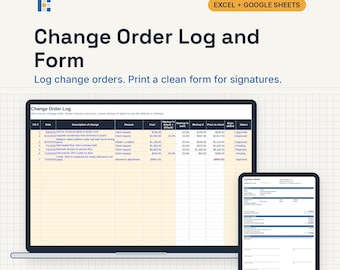
Change Order Form and Log Template, Excel and Google Sheets: Contractor CO Tracker, Revised Contract
Sale Price CA$26.23
Original Price CA$32.79
-
Digital download
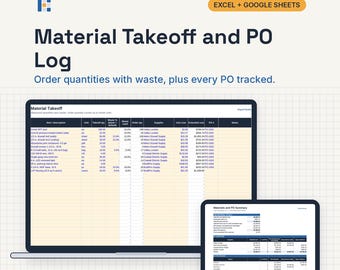
Material Takeoff and Purchase Order Log, Excel and Google Sheets: Construction PO Tracker by Supplier
Sale Price CA$40.54
Original Price CA$50.67
-
Digital download
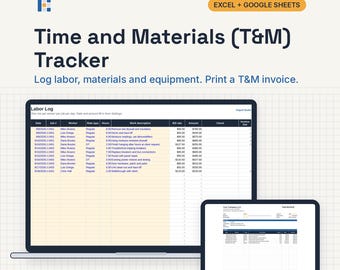
Time and Materials Tracker, Excel and Google Sheets: T&M Invoice, Labor Log, Not to Exceed
Sale Price CA$32.19
Original Price CA$40.24
Be the first to leave a review
Shoppers with similar taste loved these
-
Digital download
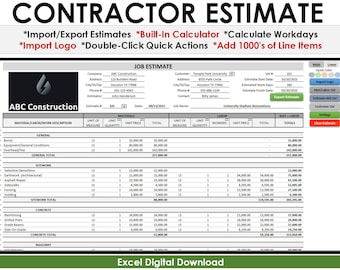
Construction Estimate Bid Template
CA$104.25
-

Digital download
Construction Budget and Estimate Worksheet. Construction Bid Spreadsheet Template Excel & Google Sheets. Construction Cost Tracker Template.
Sale Price CA$12.55
Original Price CA$25.11
-

Digital download
Build Budget Home Renovation Construction Planner, Excel Google Sheets, Project Management - Gantt - Spreadsheet, Finishes Schedule, DIY
CA$70.05
-
Digital download
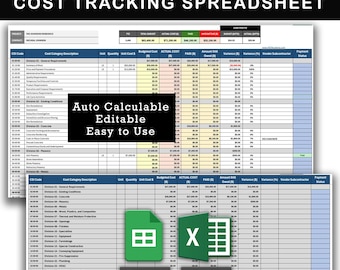
Construction Budget, Cost and Invoice Tracking Spreadsheet
CA$22.34
-
Digital download
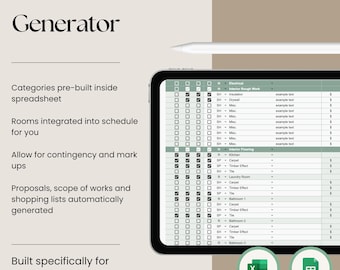
Construction Bid Generator Calculator Excel Google Sheets Builders Contractors Renovators Remodel Estimate Budget Proposal
CA$134.13
-
Digital download
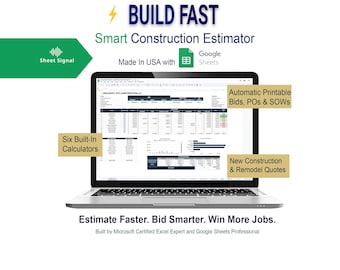
BuildFast Smart Construction Estimator | Automated Bids, POs & Cost Tracking (Google Sheets Template)
CA$73.03
-

Custom Tool/Drill Organizer
CA$111.78
-

Power Tool Holder - 14 gauge steel | HEAVY DUTY - Garage or Workshop Storage
CA$89.42
-

Power Tool Charging Station - Steel Charging Station - Drill Holder - Metal Drill Holder - Metal Tool Organization - Garage Tool Holder
CA$409.85
-

Metal Drill Hanger - Impact Hanger -Shop Organization Tools - Garage Tool Organization -Garage and Shop Tool Storage - Garage Gift for Him
CA$119.23
-

Work Trailer Cordless Drill Rack with Locking Bar and Battery Rack - Tool Rack For Work Truck
CA$267.52
-

Power Tool Rack Organizer with Battery Rack and Charging Shelf, Universal Tools, Tool Organization
CA$265.64


