

2027 Debt Payoff Planner Spreadsheet with Snowball and Avalanche
Price:CA$10.25
Here's what's eligible:
- Your order doesn't match the item description or photos
- Your item arrived damaged
- Your item arrived after the estimated arrival window
- Your item didn't arrive or was lost in the mail
You can only make an offer when buying a single item.
Highlights
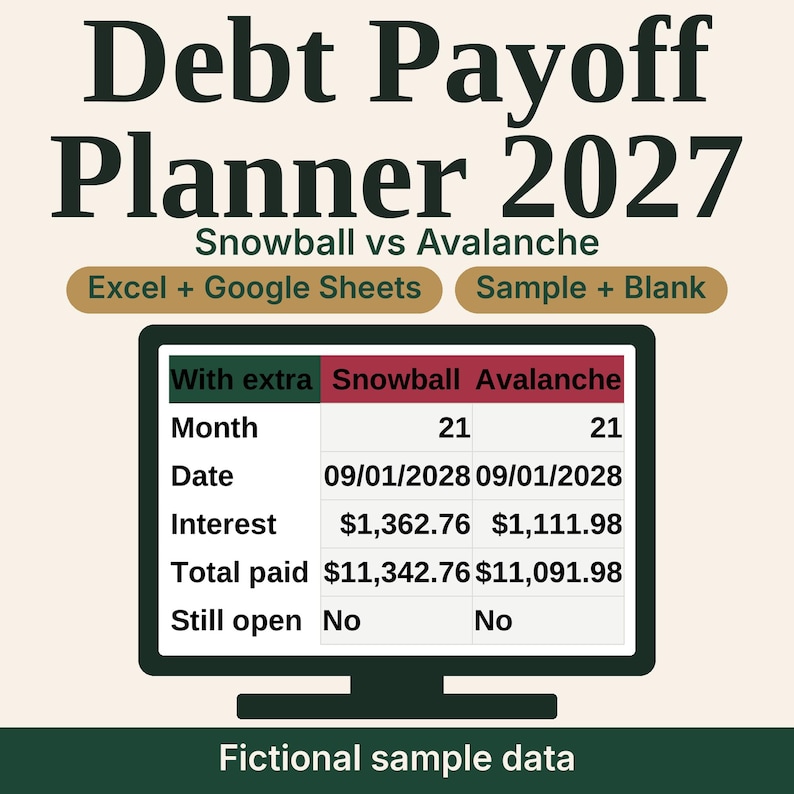
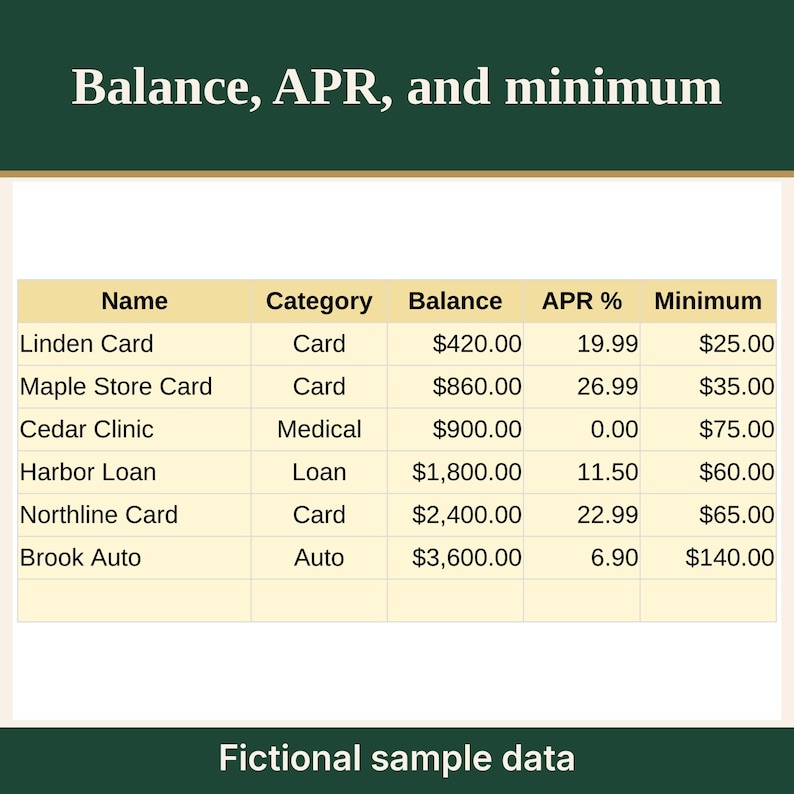
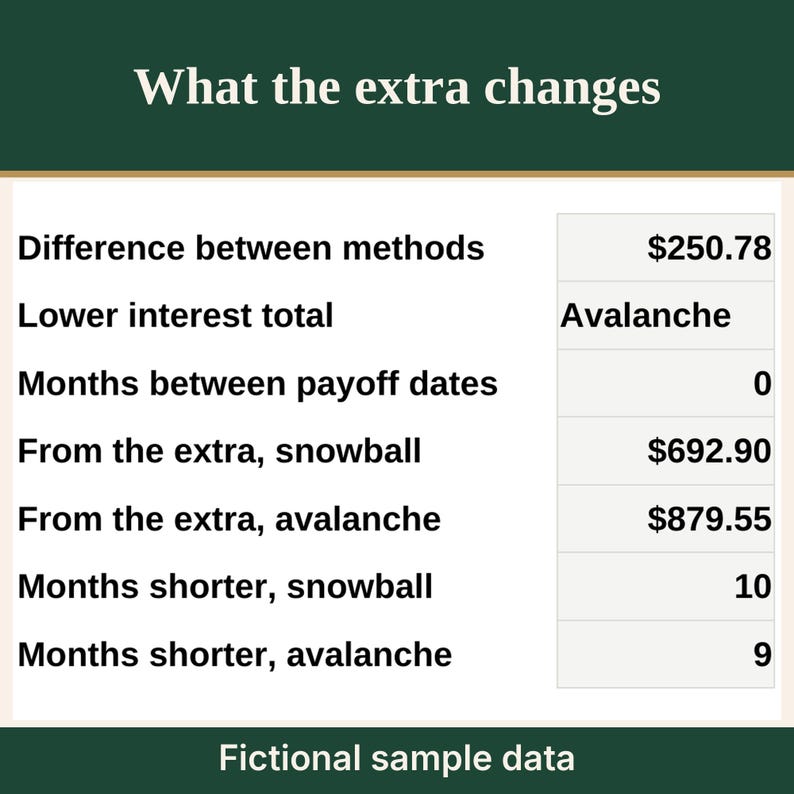
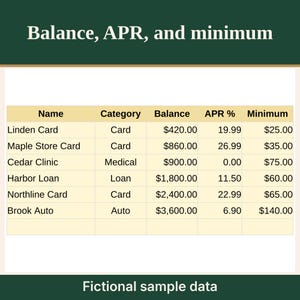
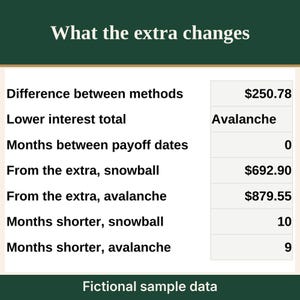
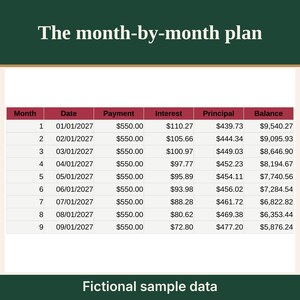
Plan a household debt payoff with snowball and avalanche side by side. Type each balance, APR, and minimum. The workbook builds a month-by-month plan, an interest difference between the two methods, and the same figures with no extra payment so you can see what the extra payment changes on these numbers.
WHAT YOU GET
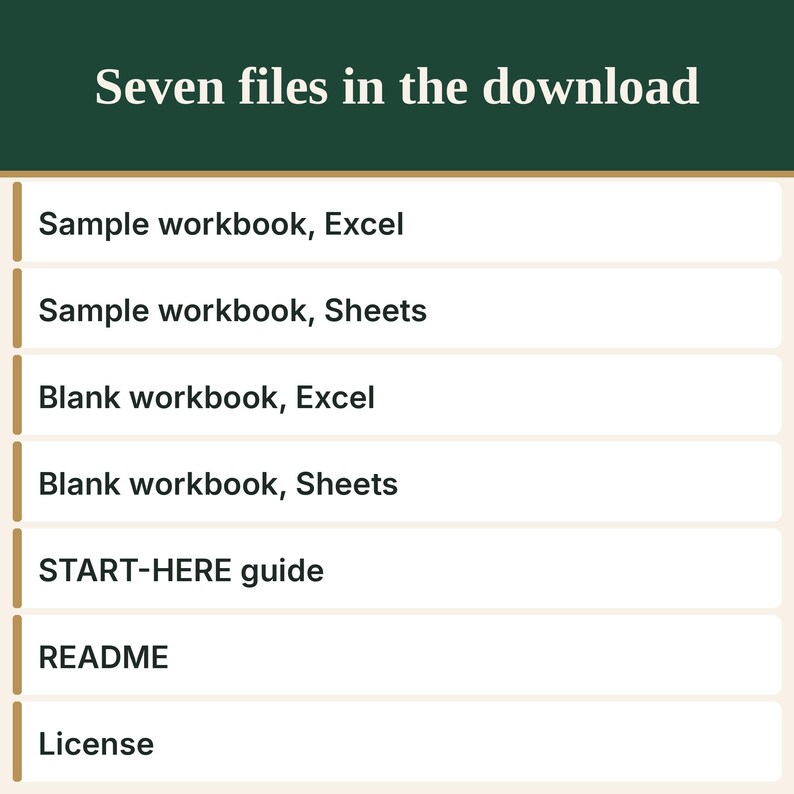
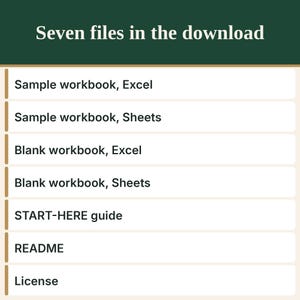
- HM-DEBT_SAMPLE_Excel.xlsx, a completed sample workbook made for Excel. The household is fictional.
- HM-DEBT_SAMPLE_GoogleSheets-import.xlsx, the same sample for Google Sheets.
- HM-DEBT_BLANK_Excel.xlsx, an empty workbook made for Excel.
- HM-DEBT_BLANK_GoogleSheets-import.xlsx, the same empty workbook for Google Sheets.
- HM-DEBT_START-HERE.pdf, step-by-step instructions, including how to open the files in Google Sheets and in Excel, and how to turn on warning-only protection in Google Sheets.
- README.txt, a short file list and quick start.
- LICENSE.txt, the personal-use license.
INSIDE THE WORKBOOK
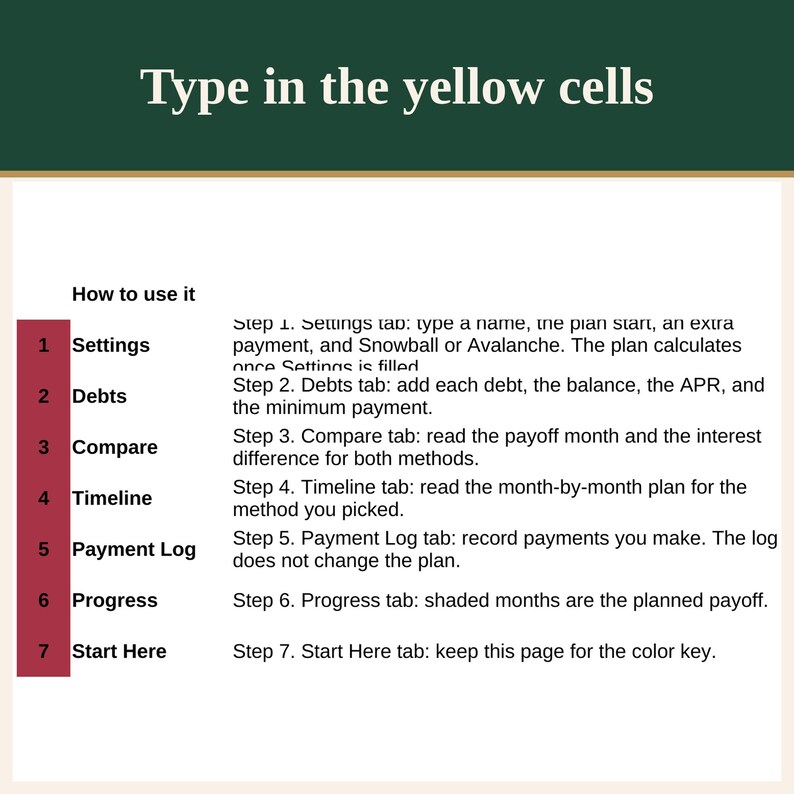
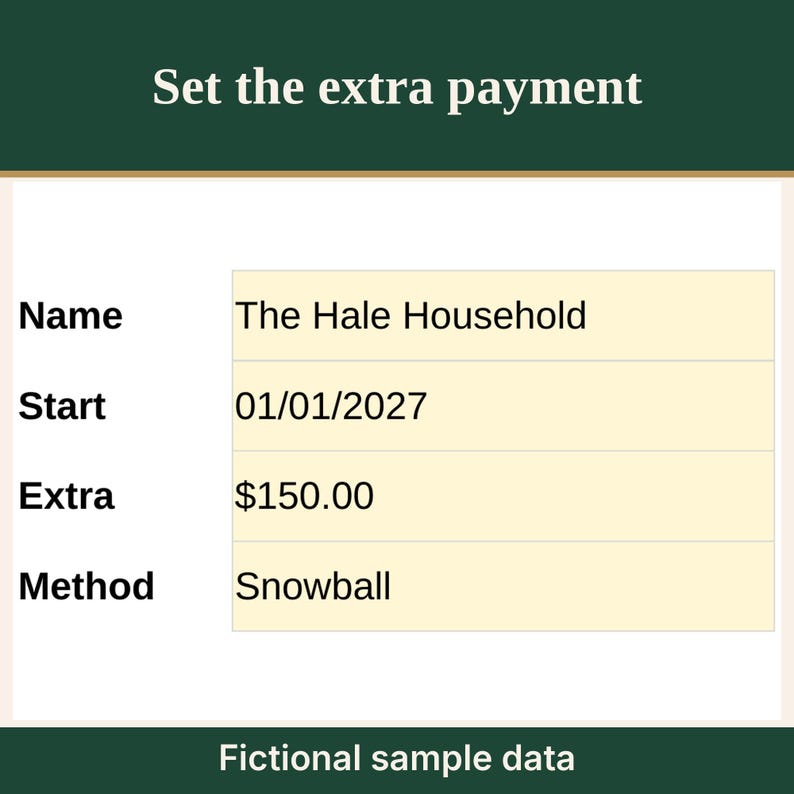
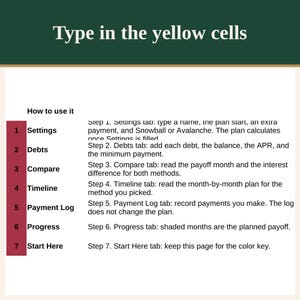
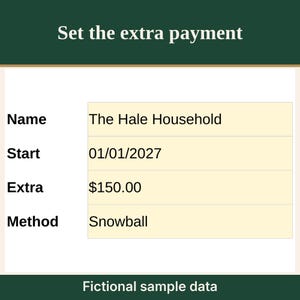
- Settings: household name, plan start date, extra payment each month, Snowball or Avalanche for the timeline, and the category list.
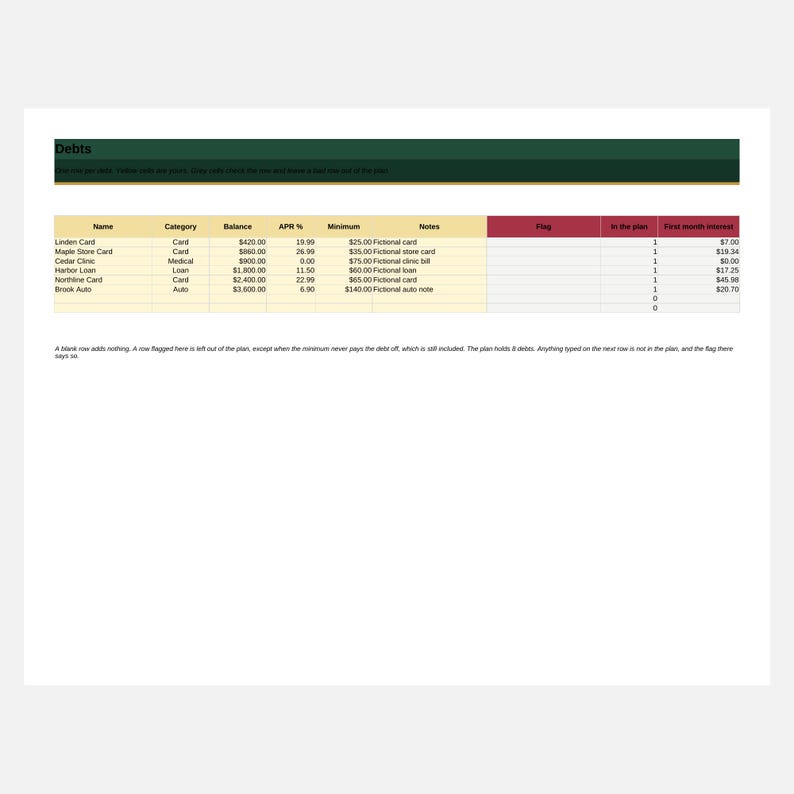
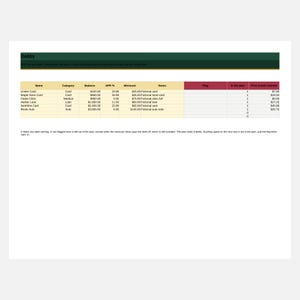
- Debts: up to 8 debts. Name, category, balance, APR, minimum, notes, a flag, and whether the row is in the plan. A 9th row is flagged and left out of the plan.
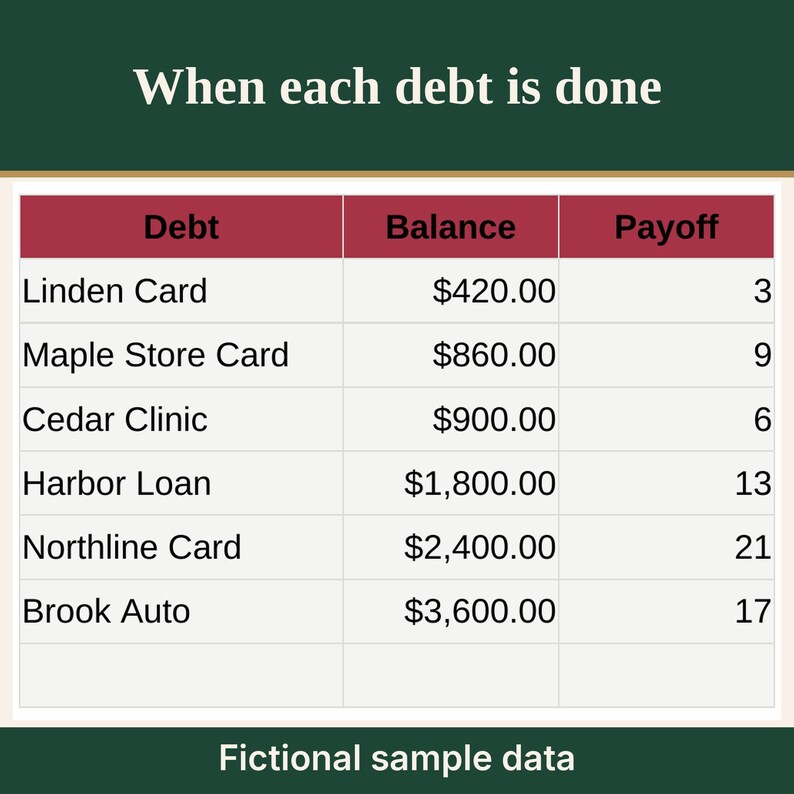
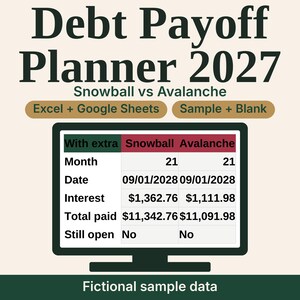
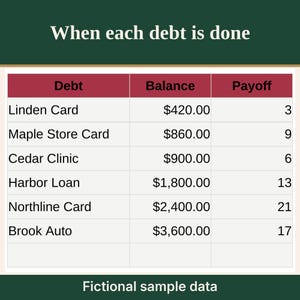
- Compare: payoff month, payoff date, interest, and total paid for snowball and avalanche, with the extra payment and with minimums only. Interest difference between the methods. Interest difference and months difference from the extra payment. A window note when a plan is still open after 120 months.
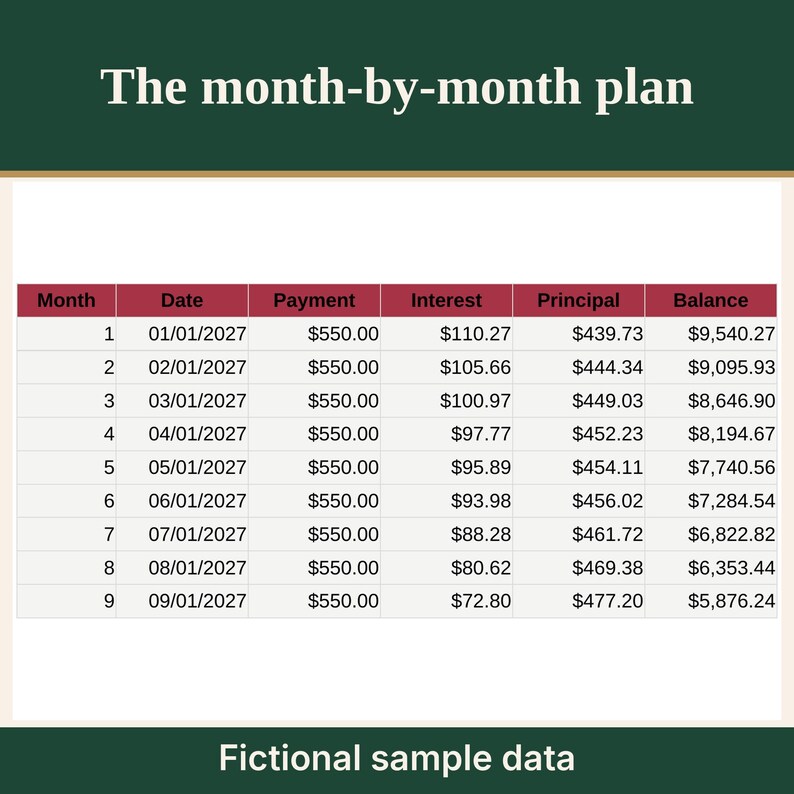
- Timeline: up to 120 months for the method you picked. Payment, interest, principal, balance, and which debt reaches zero that month.
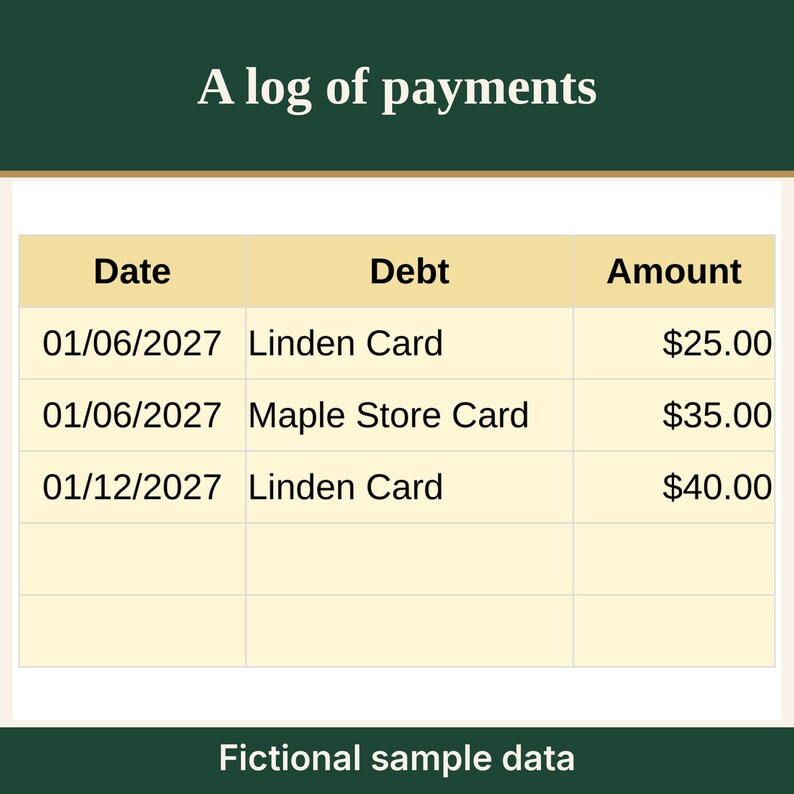
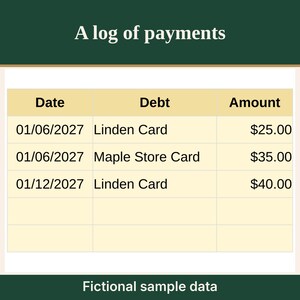
- Payment log: up to 60 lines you type. The log does not change the plan. Overpaid is advisory. A line is flagged when the running total for that debt is more than starting balance plus planned interest for the method on Settings, plus $1. Logged totals count every line.
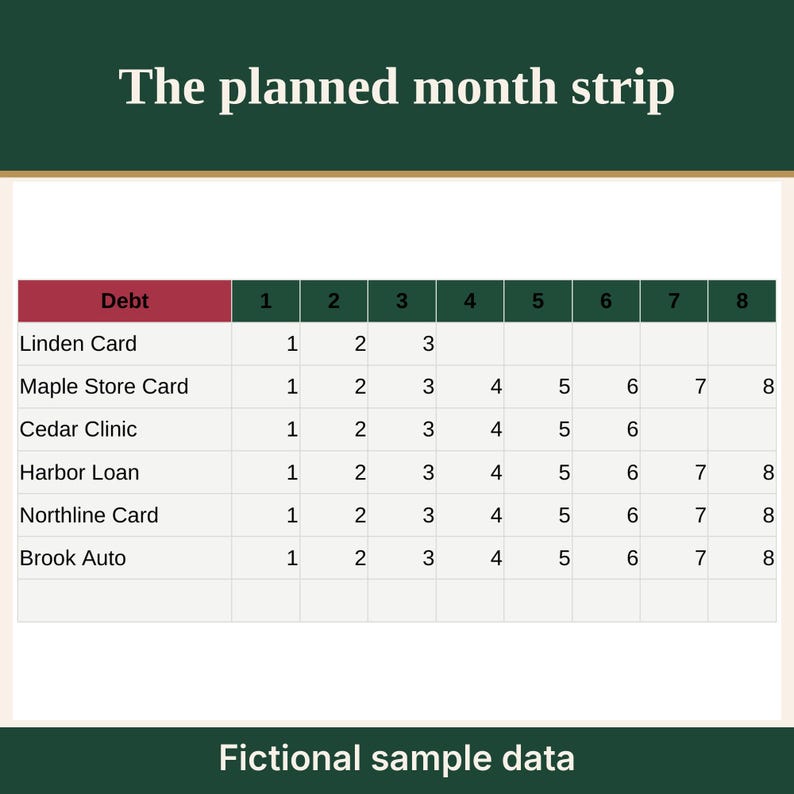
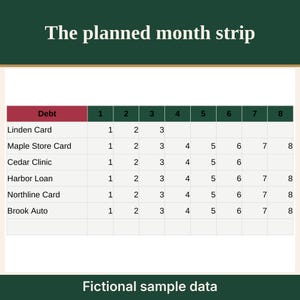
- Progress: a 24-month strip. Shaded months are the planned payoff for the method you picked.
- Snowball targets the lowest current balance and rechecks it each month. Ties go to the earlier row. Avalanche targets the highest APR. A paid-off debt's minimum joins the extra on the next debt.
- A blank row adds nothing. A negative amount, text, an APR over 100, or a balance over 10 million is flagged and left out. When the minimum never pays a debt off, the row is flagged and still included. Monthly interest on a debt is balance times APR divided by 12.
- Yellow is the color of a cell you type in. On the Excel file, grey cells are locked and there is no password. The Google Sheets import file has no lock. Protection is per sheet: Data > Protect sheets and ranges > Add a sheet or range > Sheet > Except certain cells (the yellow input cells) > Set permissions > Show a warning.
- Dates and amounts assume US settings: month/day/year, and currency with a dollar sign.
- The sample is a fictional household. Use the blank copy for your own numbers.
HOW IT WORKS
1. Download and unzip the file.
2. For Excel, open an _Excel.xlsx file. If a bar asks you to enable editing, choose Enable Editing.
3. Google Sheets on a computer: open drive.google.com, choose New, then File upload, and upload an _GoogleSheets-import.xlsx file. Open the uploaded file. It opens in Office-compatibility mode. Choose File, then Save as Google Sheets. To bring the file into a spreadsheet you already have open, choose File, then Import, then Upload, and choose Replace spreadsheet. The Sheets home page has no File menu, so Import is only inside an open spreadsheet.
4. On Settings, type the start date, an extra payment, and a method. On Debts, add each debt. Read Compare.
GOOD TO KNOW
- Made for Excel and Google Sheets.
- Original spreadsheet. No clip art and no stock images.
- This is a digital download. Nothing will be shipped.
- Figures are for your own planning. This is not financial or tax advice.
- The interest difference is the gap between totals on the numbers you type. It is not a promise of savings.
OPENING A FILE
Having trouble opening a file? Message the shop through Etsy and we will help.
LICENSE
For your own personal use. Print the guide as many times as you like for yourself. Please do not resell, share, or redistribute the files.
Created with AI tools.
Instant Download
Your files will be available to download once payment is confirmed. Here's how.
Instant download items don’t accept returns, exchanges or cancellations. Please contact the seller about any problems with your order.
Etsy Purchase Protection
Shop confidently on Etsy knowing if something goes wrong with an order, we've got your back for all eligible purchases —
see programme terms

More from this shop
Visit shop-
Digital download
2027 Monthly Budget Spreadsheet, Paycheck by Paycheck, Zero-Based
CA$10.25
-
Digital download
Subscription and Recurring Bills Tracker Spreadsheet with Renewal Dates
CA$8.78
-
Digital download
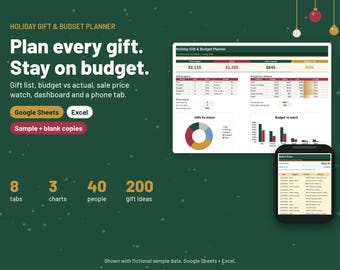
Christmas Gift Planner Spreadsheet, Holiday Budget Tracker
CA$10.99
-
Digital download
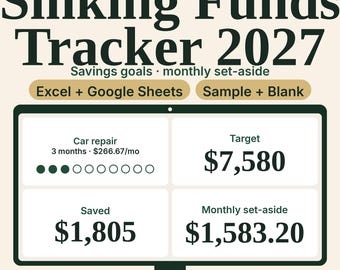
2027 Sinking Funds and Savings Goals Tracker with Progress Chart
CA$8.78
Be the first to leave a review
-

Digital download
Debt Snowball Spreadsheet, Debt Payoff Tracker, Google Sheets, Debt Snowball Avalanche Calculator, Debt Free Planner, Snowball Method
CA$7.33
-

Digital download
Debt Snowball Avalanche Excel Spreadsheet | Loan Payoff Tracker (Digital Download)
CA$11.65
-

Digital download
ULTIMATE Debt Snowball AND Debt Avalanche Spreadsheet | Google Sheets Template
CA$13.18
-

Digital download
Simple Debt Snowball Calculator, Debt Planner, Debt Free Planner, Debt Payoff Spreadsheet Template, Debt Budget Planner,Google Sheets Budget
CA$8.02
-

Digital download
Debt Snowball & Avalanche Tracker | Excel Spreadsheet (Digital Download)
CA$11.65
-
Digital download
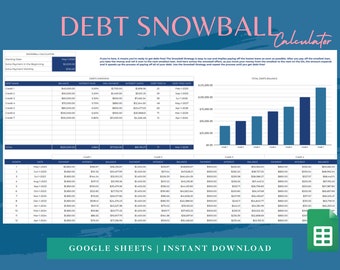
Debt Snowball Spreadsheet for Google Sheets, Debt Tracker, Debt Snowball Calculator, Debt Payoff Tracker, Debt Payment Tracker, Debt Planner
CA$11.71
-

Digital download
Purple-Simple Debt Snowball Calculator, Debt Planner, Debt Free Planner, Debt Payoff Spreadsheet Template, Debt Budget Planner,Google Sheets
CA$8.02
-

Digital download
Snowball Debt Payoff Calculator | Google Sheets Template | Debt Tracker | Editable Spreadsheet
CA$14.64
-
Digital download
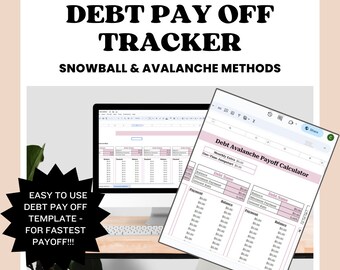
Snowball Debt & Avalanche Debt Payoff Template
CA$8.79
-

Digital download
Debt Payoff Calculator Google Sheet Debt Snowball Calculator Spreadsheet Debt Avalanche Credit Card Payoff Bill Tracker Student Loan Tracker
Sale Price CA$3.80
Original Price CA$8.43
-

Digital download
Debt Payoff Spreadsheet: Snowball & Avalanche Calculator (Google Sheets Digital Download)
Sale Price CA$7.91
Original Price CA$13.19
-

Digital download
Debt Payoff Tracker: Snowball Avalanche Calculator (Google Sheets)
Sale Price CA$8.53
Original Price CA$14.22
Shoppers with similar taste loved these
-
Digital download
20K Savings Challenge: Boho Bi-Weekly Tracker Printable (PDF)
CA$4.38
-

Digital download
20,000 Dollar Savings Challenge Printable, 6-Month Tracker (PDF)
Sale Price CA$1.50
Original Price CA$3.00
-

Digital download
10,000 Money Saving Challenge Printable / Save 10,000 In 50 Days / Savings Tracker / Savings Printable Planner
Sale Price CA$2.66
Original Price CA$3.56
-

Digital download
Home Savings Tracker 20K: Down Payment Printable (PDF)
CA$4.76
-

Digital download
15K Savings Challenge, Savings Tracker, Money Challenge, 26 Weeks, 6 Months, Digital Download PDF, Printable
CA$3.66
-

Digital download
25,000 House Savings Tracker / 25,000 Saving Challenge / House Savings Tracker / Savings Printable Planner / Goal Tracker
Sale Price CA$2.66
Original Price CA$3.56
-

Digital download
Home Savings Tracker Printable: 75k House Fund (PDF)
CA$4.76
-
Digital download
35,000 House Savings Tracker / 35,000 Saving Challenge / House Savings Tracker / Savings Printable Planner / Goal Tracker
Sale Price CA$2.66
Original Price CA$3.56
-

Digital download
10k Savings Challenge Worksheet, 26 Weeks (PDF)
Sale Price CA$1.62
Original Price CA$3.25
-

Digital download
20k Savings Challenge, Bi-Weekly Tracker Printable (PDF File)
CA$3.62
-

Digital download
20000 Savings Challenge, Saving Tracker Printable, Financial Planner, Money Saving, 20K Challenge, Instant Download
CA$4.25
-

Planner Dashboard for your pm mm gm agendas, personal planners, personal wide planners, A5 planner dashboards, Fall Fashion
Sale Price CA$13.19
Original Price CA$14.66


