


Kindle Scribe Planner 2027, Hyperlinked PDF Planner for Kindle Scribe and Colorsoft, Daily Weekly Monthly, Budget by Paycheck, 34 Templates
Star Seller
Star Sellers have an outstanding track record for providing a great customer experience – they consistently earned 5-star reviews, dispatched orders on time, and replied quickly to any messages they received.
Item highlights
Seller's description
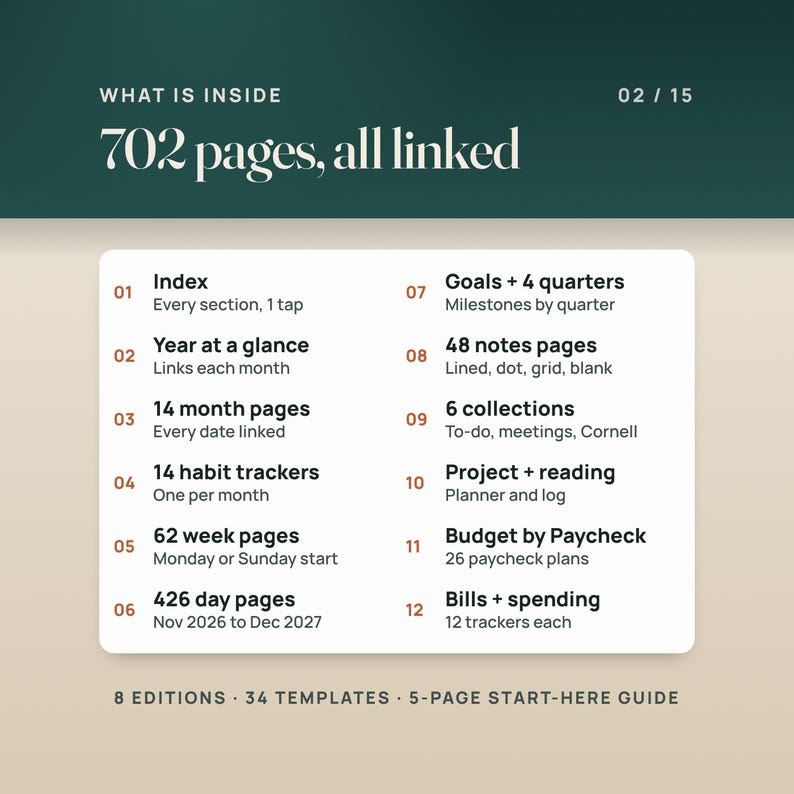
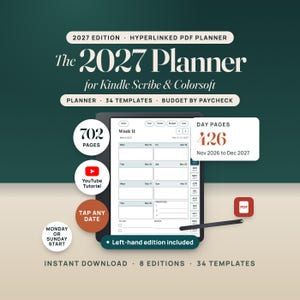
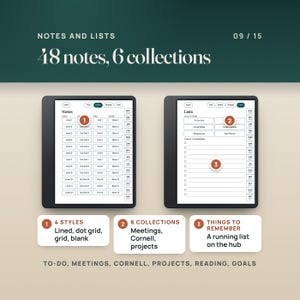
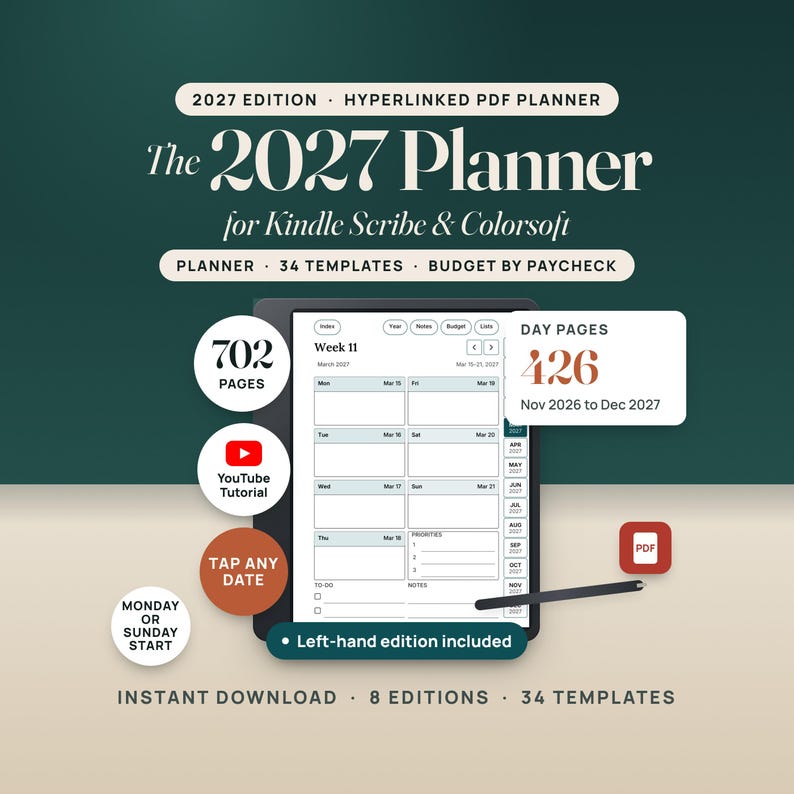
Kindle Scribe Planner 2027 + Templates is a hyperlinked PDF planner for Kindle Scribe and Kindle Scribe Colorsoft owners, for planning every day of 2027 on the device you already write on. Dated from Nov 1, 2026 to Dec 31, 2027, with 702 pages in each Monday-start planner (701 in the Sunday-start editions), 16,938 links, a page for every day, week and month, 48 notes pages, six collections, a Budget by Paycheck section and 34 single-page templates. Instant download.
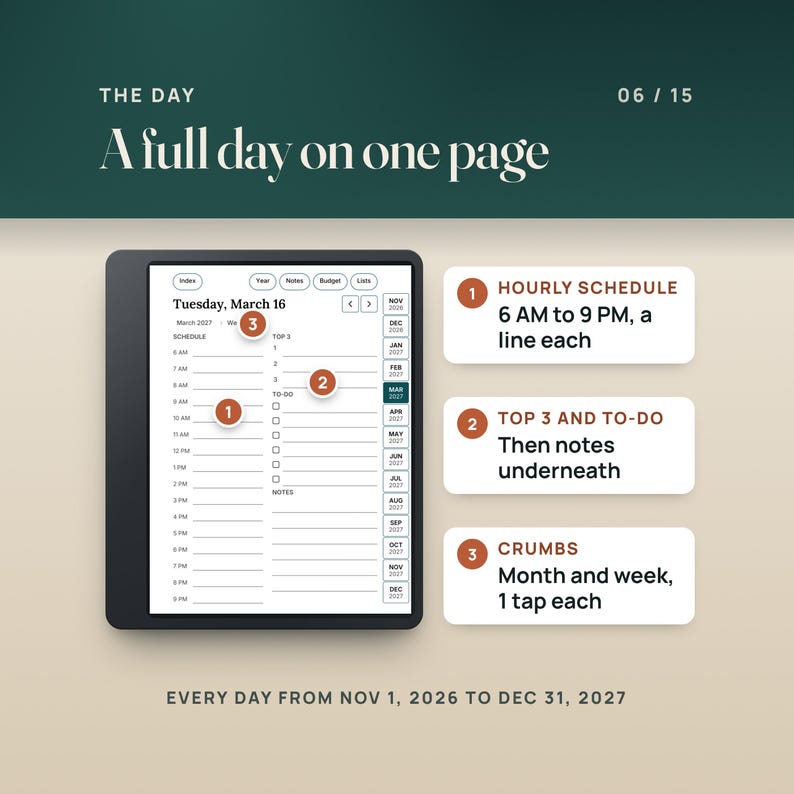
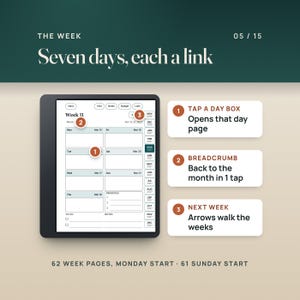
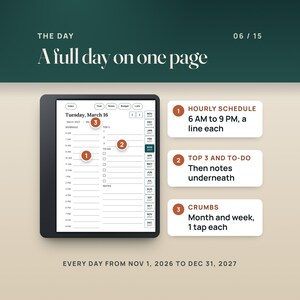
A planner app wants your attention. A paper planner wants a bag. The Kindle Scribe already has the pen in your hand, so this planner puts the year on it: tap a month on the Index, tap a date, and you are on that day's page with a schedule from 6 AM to 9 PM, a Top 3, a to-do list and notes. The month tabs sit down the side of every page, Index, Year, Notes, Budget and Lists sit across the top, and every one of them is a link. Right-hand and left-hand tab editions keep the links away from your writing toolbar.
It is a standard hyperlinked PDF, the same kind of file other Kindle Scribe planners use. Send it with Send to Kindle, open it from your library, and write on any page with the pen.
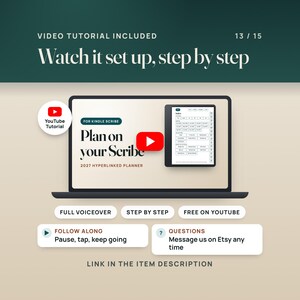
🎬 WATCH THE FULL WALKTHROUGH: https://youtu.be/s94gS3xdBN8
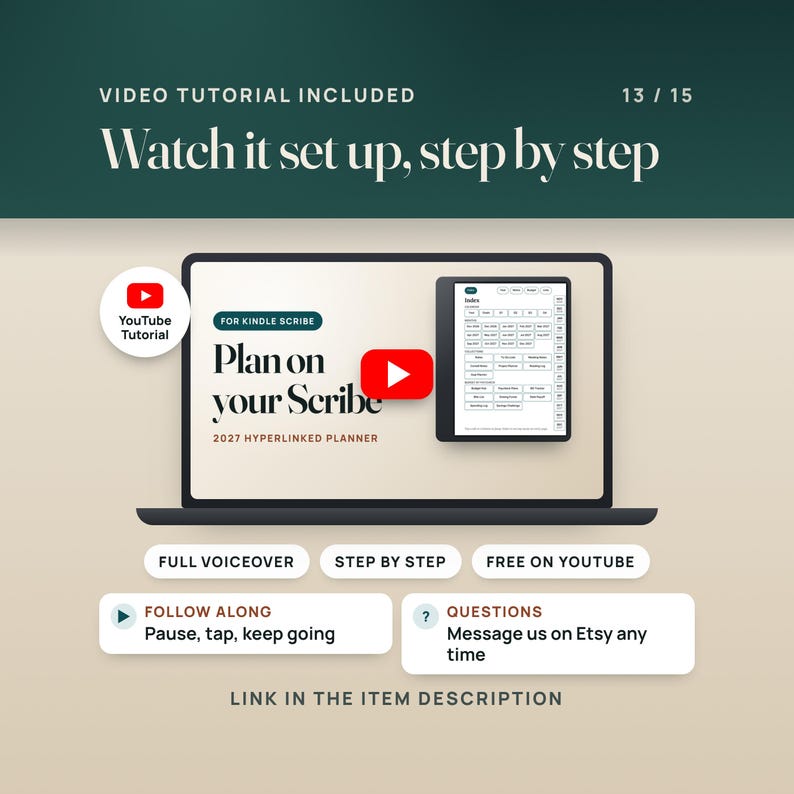
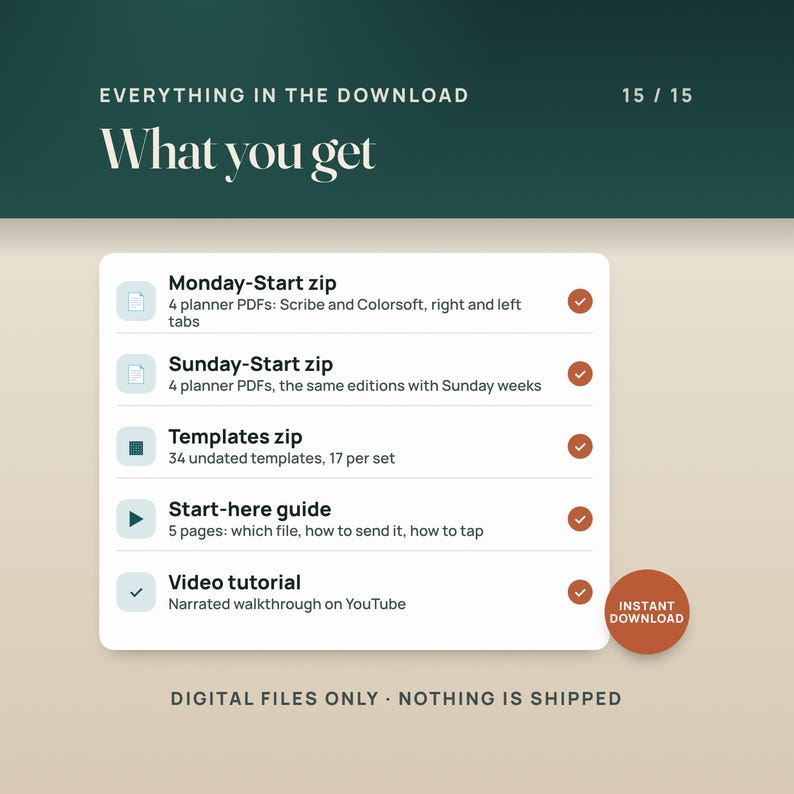
A narrated video tutorial on YouTube walks through the real file: the tap path from the Index to a day, how to send it to your Scribe, and the Budget by Paycheck pages.
————————————————————
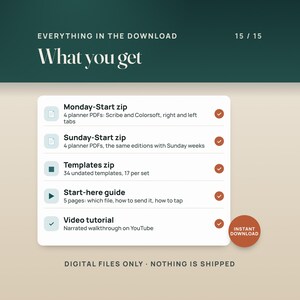
📦 WHAT'S INCLUDED (4 FILES)
————————————————————
01. Monday-Start zip (6.55 MB)
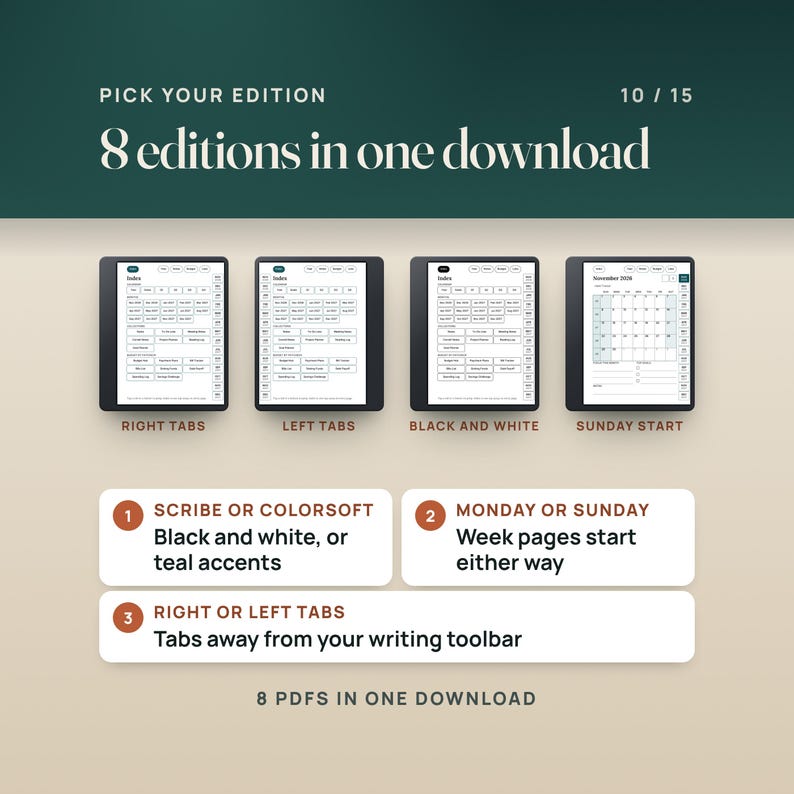
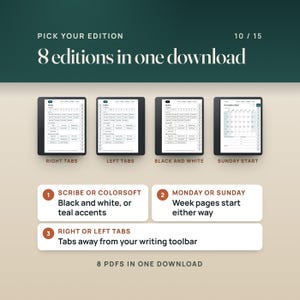
Four planner PDFs with weeks that start on Monday and ISO week numbers: black and white with right-hand tabs, black and white with left-hand tabs, Colorsoft (one teal accent) with right-hand tabs, Colorsoft with left-hand tabs. 702 pages, 16,938 links and 118 bookmarks in each.
02. Sunday-Start zip (6.53 MB)
The same four editions with weeks that start on Sunday (US week numbers, week 1 holds January 1). 701 pages, 16,931 links and 117 bookmarks in each.
03. Templates zip (1.44 MB)
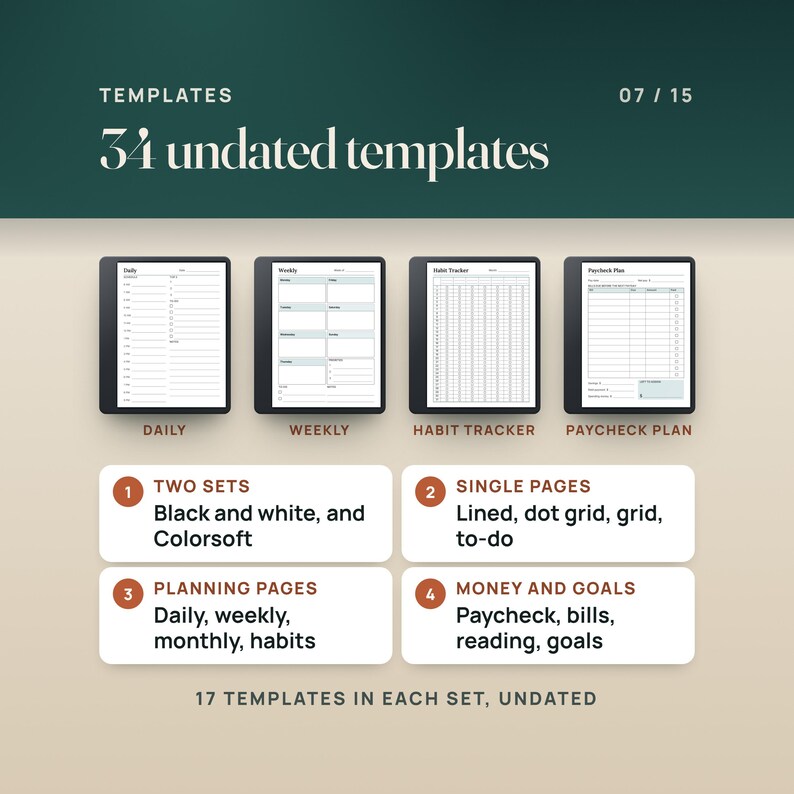
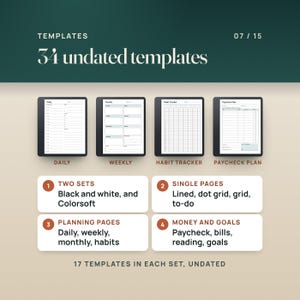
34 single-page templates on the planner's page size, 17 in black and white and the same 17 with the Colorsoft accent: lined notes, dot grid, grid, to-do list, meeting notes, Cornell notes, undated daily, undated weekly (Monday and Sunday), undated monthly (Monday and Sunday), habit tracker, paycheck plan, bill tracker, reading log, project planner and goal planner.
04. Start-here guide (0.36 MB)
Five pages: what is in the download, which file to use, how to send it to your Scribe, and how the tabs and links work.
INSIDE EACH PLANNER
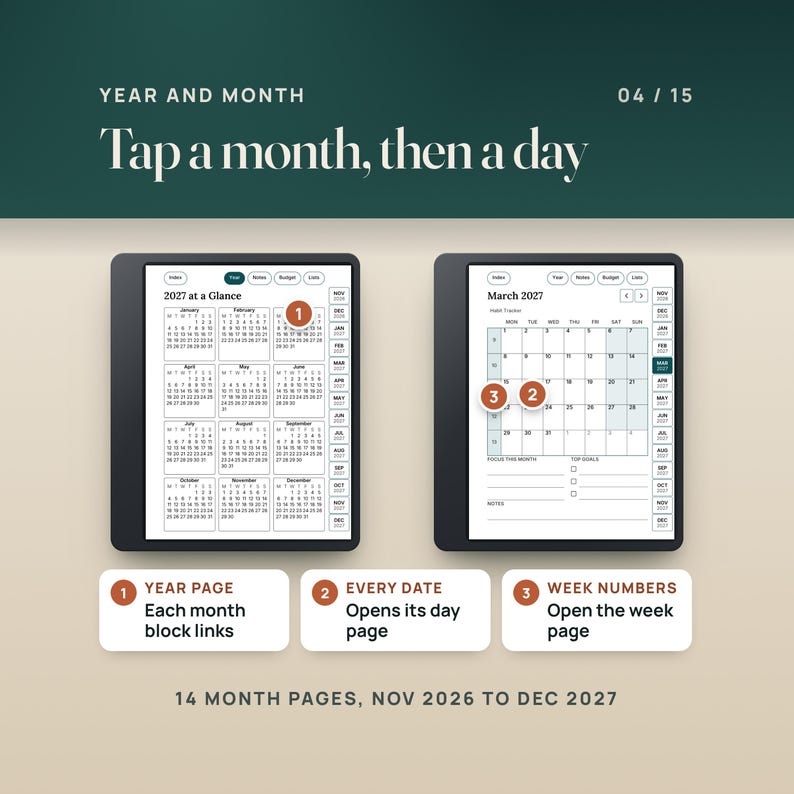
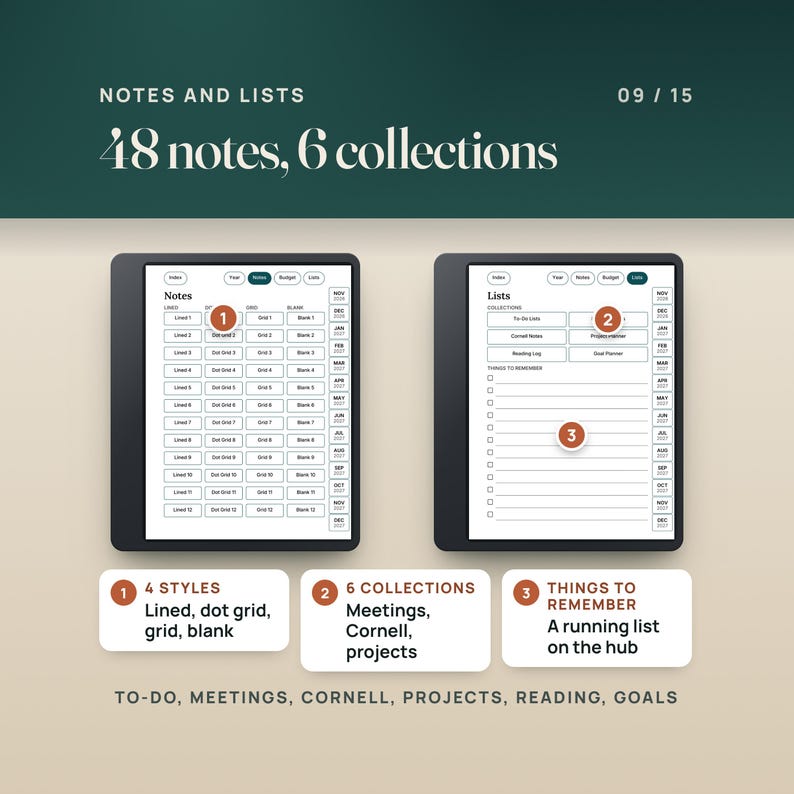
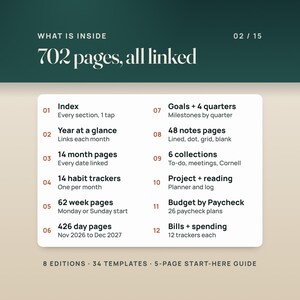
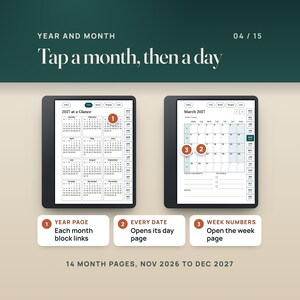
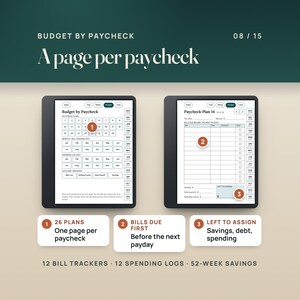
Index, Year at a Glance, Goals 2027 and four quarter pages. 14 month pages (Nov 2026 to Dec 2027) with the week numbers and every date linked, 14 monthly habit trackers, 62 week pages (Monday) or 61 (Sunday) and 426 day pages. Notes: 12 lined, 12 dot grid, 12 grid and 12 blank pages. Lists: 12 to-do lists, 12 meeting notes, 12 Cornell notes, 10 project planner pages, 6 reading log pages and 12 goal planner pages. Budget by Paycheck: a hub, 26 paycheck plans, 12 monthly bill trackers, a bills master list, sinking funds, debt payoff, 12 spending logs and a 52-week savings challenge.
————————————————————
👤 WHO THIS IS FOR
————————————————————
Kindle Scribe and Kindle Scribe Colorsoft owners who want one dated planner for 2027 with a page for every day, reached by tapping, not scrolling.
Left-handed writers: the left-hand tab editions put the tabs on the left and leave the right edge free for the writing toolbar.
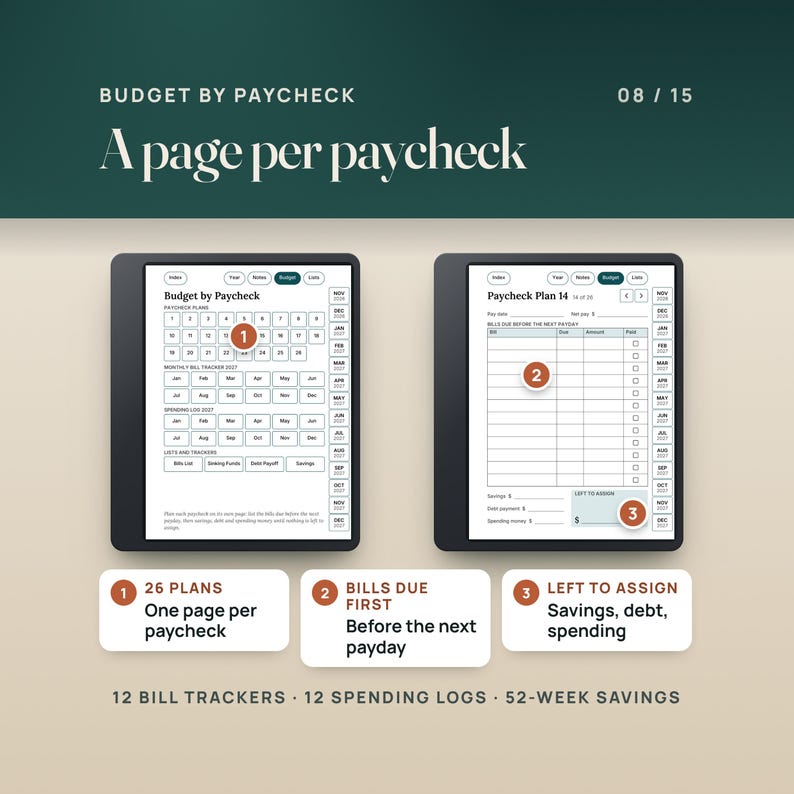
People who plan their money by paycheck: the Budget by Paycheck section plans each check on its own page, then tracks bills, spending, sinking funds and debt by month.
————————————————————
🚫 WHO THIS IS NOT FOR
————————————————————
Anyone who wants a planner app with reminders, syncing or typed entries. This is a PDF you write on with the pen.
Anyone who needs an undated planner only. The planner is dated Nov 1, 2026 to Dec 31, 2027; the 34 templates are undated.
————————————————————
✅ KEY BENEFITS
————————————————————
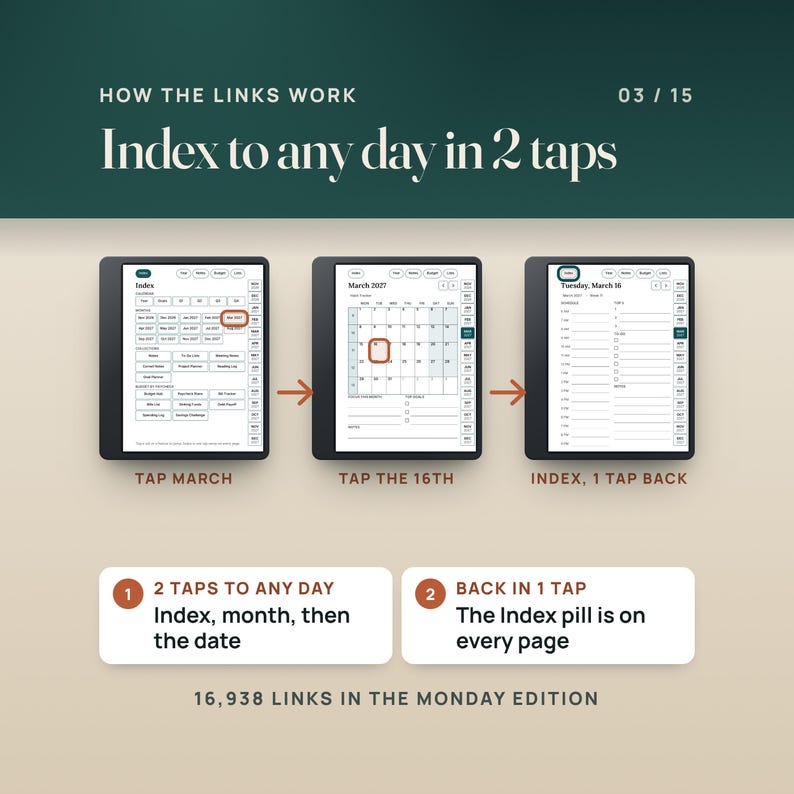
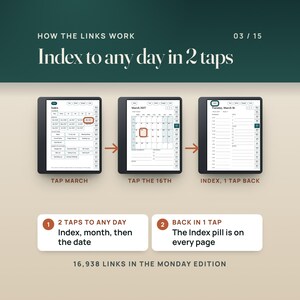
Any day in 2 taps: Index, then the month, then the date. The Index pill is on every page, so the way back is 1 tap.
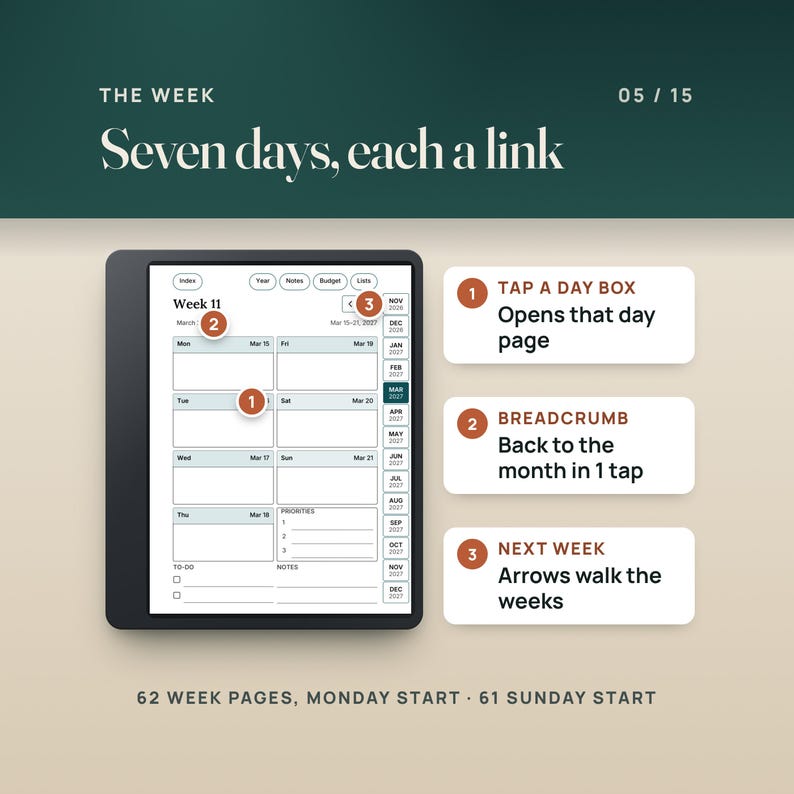
16,938 links in the Monday edition: 14 month tabs and five section pills on every page, week numbers that open the week pages, breadcrumbs back to the month and week, and previous and next arrows on every day, week and month.
A full day on one page: a schedule from 6 AM to 9 PM, Top 3, to-do list and notes, for all 426 days.
Eight editions, one download: black and white or Colorsoft teal accents, Monday or Sunday weeks, right-hand or left-hand tabs. Use the one that fits your hand and your week.
Budget by Paycheck: 26 paycheck plans that list the bills due before the next payday, then savings, debt and spending money until nothing is left to assign.
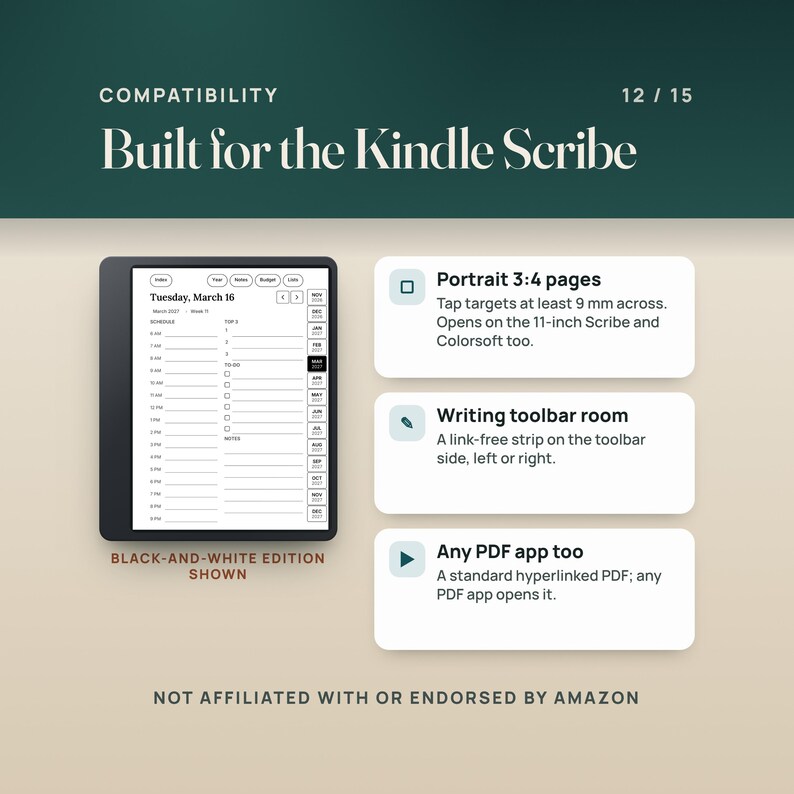
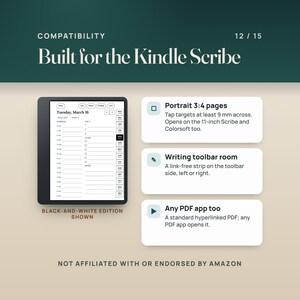
Tap targets at least 9 millimeters across on the Kindle Scribe screen, and a link-free strip on the toolbar side of every page, so the tabs stay clear of the writing toolbar.
Portrait 3:4 pages built for the Kindle Scribe, with type sized to stay legible on the Scribe. The PDF outline (bookmarks) mirrors the tabs.
————————————————————
🔧 HOW IT WORKS
————————————————————
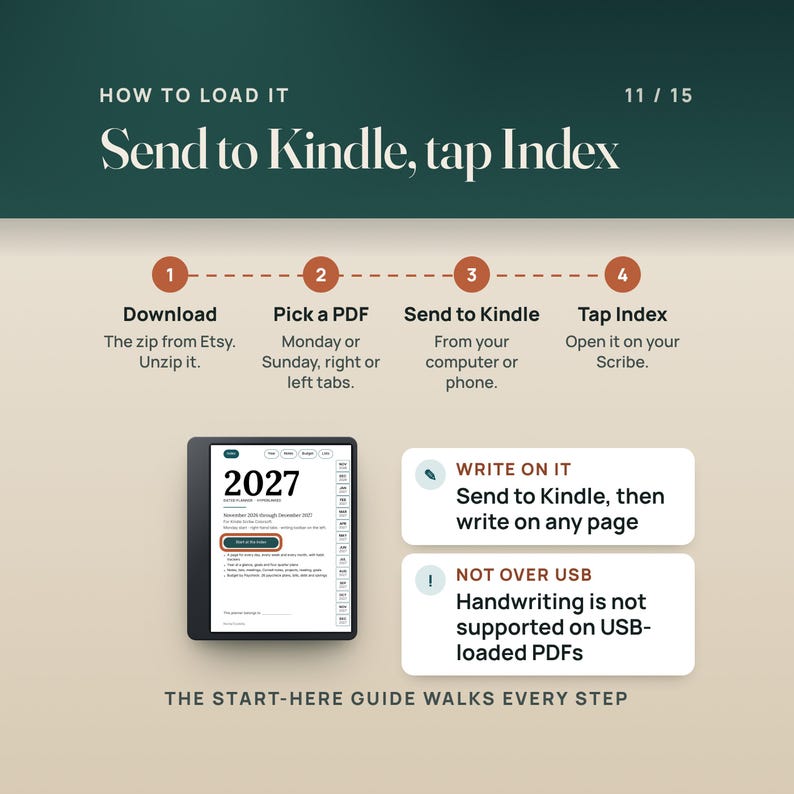
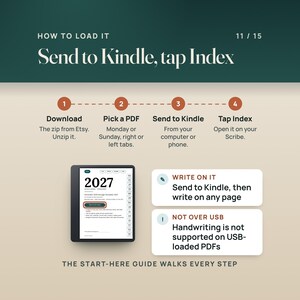
1. Download the zip from your Etsy purchases and unzip it on your computer or phone.
2. Pick one PDF: Monday or Sunday start, right-hand or left-hand tabs, black and white or Colorsoft. The start-here guide has the table.
3. Send that PDF to your Scribe with Send to Kindle, from a web browser or from the Kindle app on your phone, then open it from your library. Amazon's help pages say you can write directly on PDF documents sent to Kindle Scribe this way, and that handwriting is not supported in PDFs loaded over USB-C.
4. Open it, tap Index, tap a month, tap a date. Write.
————————————————————
❓ QUESTIONS BUYERS ASK
————————————————————
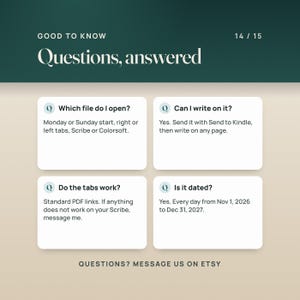
Will it work on my Kindle Scribe?
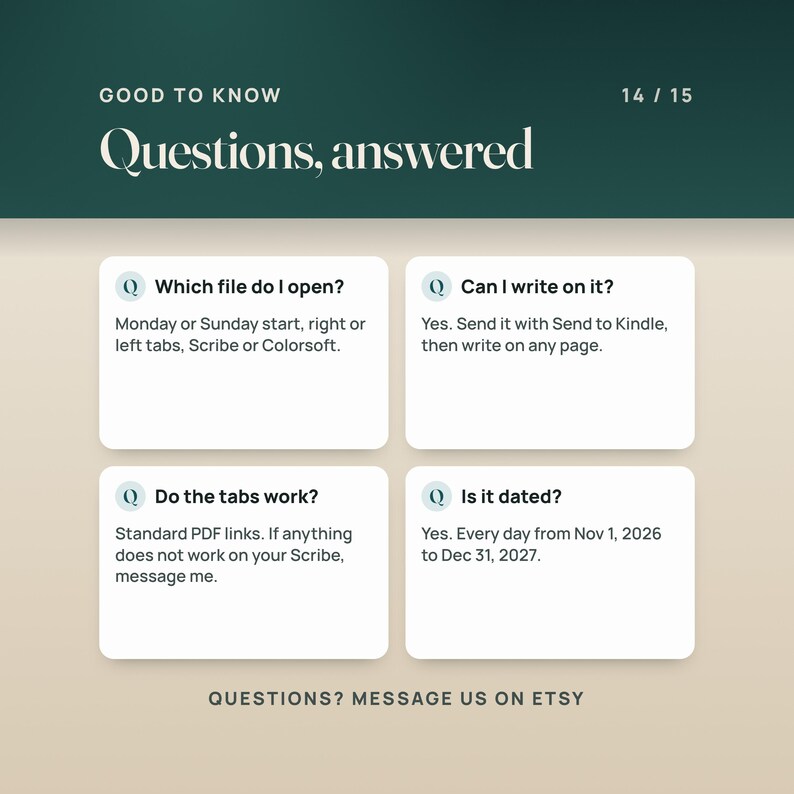
It is a standard hyperlinked PDF with a PDF outline, the same kind of file other Kindle Scribe planners use, built for the Scribe's portrait screen. Send it with Send to Kindle. If anything does not work on your Scribe, send me a message and I will help.
Which model is it for?
Kindle Scribe (10.2-inch) and the 11-inch Kindle Scribe and Kindle Scribe Colorsoft. The pages are portrait 3:4, the file's own proportion. The black and white editions suit every Scribe; the Colorsoft editions add one muted teal accent for the color screen.
Can I write on the pages?
Yes. Amazon's help pages say you can write directly on the page in PDF documents imported with the Send to Kindle service. Use Send to Kindle, not USB-C.
Do the tabs and links work on the Scribe?
They are standard PDF links. Tap one with your finger to jump; the Index button on the cover is a good first test. If a link does not respond, make sure the Scribe is on current software and the file came in through Send to Kindle, and message me if it still does not.
I am left-handed. Will the tabs get in my way?
Pick a left-hand tabs edition: the tabs sit on the left and the right edge stays free for the writing toolbar. The Kindle Scribe lets you place the toolbar on the left or right side of the screen, or hide it.
Monday or Sunday start?
Both are in the download. The Monday editions use ISO 8601 week numbers; the Sunday editions use the US convention, where week 1 holds January 1.
Can I start now?
Yes. The planner starts on Nov 1, 2026, so November and December 2026 are in it, and it runs to Dec 31, 2027.
Is it dated?
Yes, every day from Nov 1, 2026 to Dec 31, 2027, with the weekday in every title. No holidays are printed. The 34 templates are undated.
Can I print it?
It is made for the screen. It prints on US Letter or A4 with a margin, but the links are the point.
————————————————————
⚠️ PLEASE READ
————————————————————
This is a digital download. Nothing is shipped.
Not affiliated with or endorsed by Amazon. Kindle and Kindle Scribe are trademarks of Amazon, used here only to say what the file works with. How a PDF behaves on the device depends on the device's software.
The files are licensed for your personal use. Please do not share or resell them.
————————————————————
📥 INSTANT DOWNLOAD
————————————————————
Your files are ready to download the moment your payment clears. Nothing is shipped.
Start with the five-page start-here guide: which file to use, how to send it to your Scribe, and how to tap around.
Questions? Send a message.
———
AI DISCLOSURE: This item was created with the help of AI tools. NicheToolkits uses AI to help design the files, write the listing and make the listing photos and videos.
NowPrice:CA$20.53
Original Price: CA$26.31
22% off
Sale ends on 10 November
You can only make an offer when buying a single item.
Delivery
Instant download
Your files will be available to download once payment is confirmed. Here's how.
Instant download items don't accept returns, exchanges or cancellations. Please contact the seller about any problems with your order.
Seller's description
Specifications
Kindle Scribe Planner 2027 + Templates is a hyperlinked PDF planner for Kindle Scribe and Kindle Scribe Colorsoft owners, for planning every day of 2027 on the device you already write on. Dated from Nov 1, 2026 to Dec 31, 2027, with 702 pages in each Monday-start planner (701 in the Sunday-start editions), 16,938 links, a page for every day, week and month, 48 notes pages, six collections, a Budget by Paycheck section and 34 single-page templates. Instant download.
A planner app wants your attention. A paper planner wants a bag. The Kindle Scribe already has the pen in your hand, so this planner puts the year on it: tap a month on the Index, tap a date, and you are on that day's page with a schedule from 6 AM to 9 PM, a Top 3, a to-do list and notes. The month tabs sit down the side of every page, Index, Year, Notes, Budget and Lists sit across the top, and every one of them is a link. Right-hand and left-hand tab editions keep the links away from your writing toolbar.
It is a standard hyperlinked PDF, the same kind of file other Kindle Scribe planners use. Send it with Send to Kindle, open it from your library, and write on any page with the pen.
🎬 WATCH THE FULL WALKTHROUGH: https://youtu.be/s94gS3xdBN8
A narrated video tutorial on YouTube walks through the real file: the tap path from the Index to a day, how to send it to your Scribe, and the Budget by Paycheck pages.
————————————————————
📦 WHAT'S INCLUDED (4 FILES)
————————————————————
01. Monday-Start zip (6.55 MB)
Four planner PDFs with weeks that start on Monday and ISO week numbers: black and white with right-hand tabs, black and white with left-hand tabs, Colorsoft (one teal accent) with right-hand tabs, Colorsoft with left-hand tabs. 702 pages, 16,938 links and 118 bookmarks in each.
02. Sunday-Start zip (6.53 MB)
The same four editions with weeks that start on Sunday (US week numbers, week 1 holds January 1). 701 pages, 16,931 links and 117 bookmarks in each.
03. Templates zip (1.44 MB)
34 single-page templates on the planner's page size, 17 in black and white and the same 17 with the Colorsoft accent: lined notes, dot grid, grid, to-do list, meeting notes, Cornell notes, undated daily, undated weekly (Monday and Sunday), undated monthly (Monday and Sunday), habit tracker, paycheck plan, bill tracker, reading log, project planner and goal planner.
04. Start-here guide (0.36 MB)
Five pages: what is in the download, which file to use, how to send it to your Scribe, and how the tabs and links work.
INSIDE EACH PLANNER
Index, Year at a Glance, Goals 2027 and four quarter pages. 14 month pages (Nov 2026 to Dec 2027) with the week numbers and every date linked, 14 monthly habit trackers, 62 week pages (Monday) or 61 (Sunday) and 426 day pages. Notes: 12 lined, 12 dot grid, 12 grid and 12 blank pages. Lists: 12 to-do lists, 12 meeting notes, 12 Cornell notes, 10 project planner pages, 6 reading log pages and 12 goal planner pages. Budget by Paycheck: a hub, 26 paycheck plans, 12 monthly bill trackers, a bills master list, sinking funds, debt payoff, 12 spending logs and a 52-week savings challenge.
————————————————————
👤 WHO THIS IS FOR
————————————————————
Kindle Scribe and Kindle Scribe Colorsoft owners who want one dated planner for 2027 with a page for every day, reached by tapping, not scrolling.
Left-handed writers: the left-hand tab editions put the tabs on the left and leave the right edge free for the writing toolbar.
People who plan their money by paycheck: the Budget by Paycheck section plans each check on its own page, then tracks bills, spending, sinking funds and debt by month.
————————————————————
🚫 WHO THIS IS NOT FOR
————————————————————
Anyone who wants a planner app with reminders, syncing or typed entries. This is a PDF you write on with the pen.
Anyone who needs an undated planner only. The planner is dated Nov 1, 2026 to Dec 31, 2027; the 34 templates are undated.
————————————————————
✅ KEY BENEFITS
————————————————————
Any day in 2 taps: Index, then the month, then the date. The Index pill is on every page, so the way back is 1 tap.
16,938 links in the Monday edition: 14 month tabs and five section pills on every page, week numbers that open the week pages, breadcrumbs back to the month and week, and previous and next arrows on every day, week and month.
A full day on one page: a schedule from 6 AM to 9 PM, Top 3, to-do list and notes, for all 426 days.
Eight editions, one download: black and white or Colorsoft teal accents, Monday or Sunday weeks, right-hand or left-hand tabs. Use the one that fits your hand and your week.
Budget by Paycheck: 26 paycheck plans that list the bills due before the next payday, then savings, debt and spending money until nothing is left to assign.
Tap targets at least 9 millimeters across on the Kindle Scribe screen, and a link-free strip on the toolbar side of every page, so the tabs stay clear of the writing toolbar.
Portrait 3:4 pages built for the Kindle Scribe, with type sized to stay legible on the Scribe. The PDF outline (bookmarks) mirrors the tabs.
————————————————————
🔧 HOW IT WORKS
————————————————————
1. Download the zip from your Etsy purchases and unzip it on your computer or phone.
2. Pick one PDF: Monday or Sunday start, right-hand or left-hand tabs, black and white or Colorsoft. The start-here guide has the table.
3. Send that PDF to your Scribe with Send to Kindle, from a web browser or from the Kindle app on your phone, then open it from your library. Amazon's help pages say you can write directly on PDF documents sent to Kindle Scribe this way, and that handwriting is not supported in PDFs loaded over USB-C.
4. Open it, tap Index, tap a month, tap a date. Write.
————————————————————
❓ QUESTIONS BUYERS ASK
————————————————————
Will it work on my Kindle Scribe?
It is a standard hyperlinked PDF with a PDF outline, the same kind of file other Kindle Scribe planners use, built for the Scribe's portrait screen. Send it with Send to Kindle. If anything does not work on your Scribe, send me a message and I will help.
Which model is it for?
Kindle Scribe (10.2-inch) and the 11-inch Kindle Scribe and Kindle Scribe Colorsoft. The pages are portrait 3:4, the file's own proportion. The black and white editions suit every Scribe; the Colorsoft editions add one muted teal accent for the color screen.
Can I write on the pages?
Yes. Amazon's help pages say you can write directly on the page in PDF documents imported with the Send to Kindle service. Use Send to Kindle, not USB-C.
Do the tabs and links work on the Scribe?
They are standard PDF links. Tap one with your finger to jump; the Index button on the cover is a good first test. If a link does not respond, make sure the Scribe is on current software and the file came in through Send to Kindle, and message me if it still does not.
I am left-handed. Will the tabs get in my way?
Pick a left-hand tabs edition: the tabs sit on the left and the right edge stays free for the writing toolbar. The Kindle Scribe lets you place the toolbar on the left or right side of the screen, or hide it.
Monday or Sunday start?
Both are in the download. The Monday editions use ISO 8601 week numbers; the Sunday editions use the US convention, where week 1 holds January 1.
Can I start now?
Yes. The planner starts on Nov 1, 2026, so November and December 2026 are in it, and it runs to Dec 31, 2027.
Is it dated?
Yes, every day from Nov 1, 2026 to Dec 31, 2027, with the weekday in every title. No holidays are printed. The 34 templates are undated.
Can I print it?
It is made for the screen. It prints on US Letter or A4 with a margin, but the links are the point.
————————————————————
⚠️ PLEASE READ
————————————————————
This is a digital download. Nothing is shipped.
Not affiliated with or endorsed by Amazon. Kindle and Kindle Scribe are trademarks of Amazon, used here only to say what the file works with. How a PDF behaves on the device depends on the device's software.
The files are licensed for your personal use. Please do not share or resell them.
————————————————————
📥 INSTANT DOWNLOAD
————————————————————
Your files are ready to download the moment your payment clears. Nothing is shipped.
Start with the five-page start-here guide: which file to use, how to send it to your Scribe, and how to tap around.
Questions? Send a message.
———
AI DISCLOSURE: This item was created with the help of AI tools. NicheToolkits uses AI to help design the files, write the listing and make the listing photos and videos.
-
Designed by
-
Item typeDigital download
-
Digital file type(s)3 ZIP, 1 PDF
This seller consistently earned 5-star reviews, dispatched orders on time, and replied quickly to messages.
If something goes wrong with an order, we've got your back on all eligible purchases. View programme terms
Meet your seller

Usually responds in a few hours
Speedy replies Has a history of replying to messages quickly.
Rave reviews Average review rating is 4.8 or higher.
More from this shop
-
Digital download
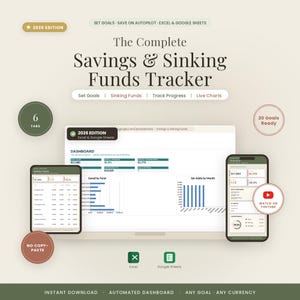
Savings & Sinking Funds Tracker | Savings Goal Planner for Excel and Google Sheets | Emergency Fund, Sinking Fund Budget, Auto Dashboard
Sale Price CA$14.82
Original Price CA$18.99
-

Digital download
Hair Stylist Bookkeeping Spreadsheet | Salon, Booth Renter Income Tracker (Excel/Google Sheets)
Sale Price CA$20.53
Original Price CA$26.32
-
Digital download
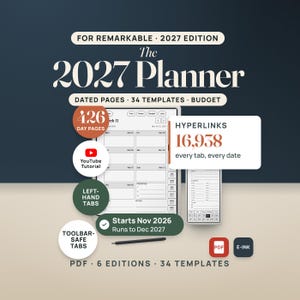
reMarkable Planner 2027, Hyperlinked Digital Planner for reMarkable Paper Pro, reMarkable 2, Paper Pro Move, 34 Templates, Paycheck Budget
Sale Price CA$22.81
Original Price CA$29.24
-
Digital download
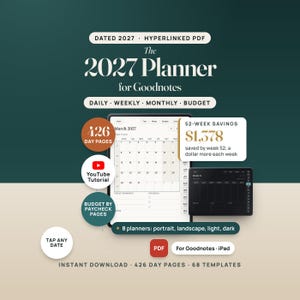
2027 Digital Planner for GoodNotes, Hyperlinked iPad Planner with Budget by Paycheck Pages, Dated Daily Weekly Monthly, Light and Dark Mode
Sale Price CA$17.10
Original Price CA$21.92
-
Digital download
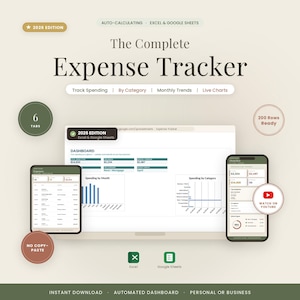
Expense Tracker Spreadsheet | Monthly Spending Tracker (Excel, Google Sheets)
Sale Price CA$14.82
Original Price CA$18.99
-
Digital download
Freelancer Bookkeeping Spreadsheet | Income, Expense, Tax Tracker (Excel/Google Sheets)
Sale Price CA$14.82
Original Price CA$18.99