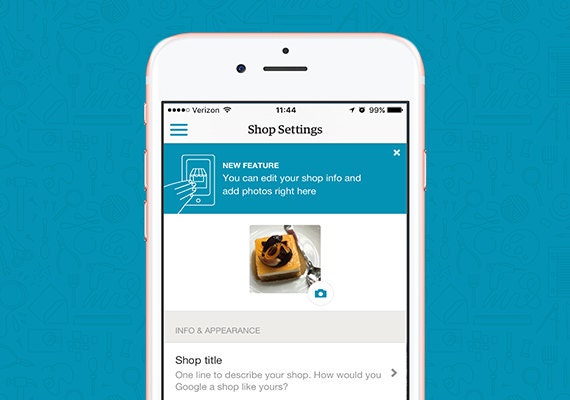
This week, we launched Shop Settings in the latest version of the Sell on Etsy app for Android and iOS devices. You’ll now be able to update important information about your shop right from your mobile device.
The new Shop Settings are available in the main menu of the Sell on Etsy app. Once you enter the Shop Settings section, you can edit or add the following:
- Shop icon
- Shop title, announcements and message to buyers
- About section photos, story, members and links
- Shop policies
- Vacation settings
You’ll be able to add photos right from your device’s camera or files. Any changes you make in the Sell on Etsy app will promptly be reflected on the Etsy website.
You can start exploring the new changes in the app today:
- Android users: Update to version 2.19 of the Sell on Etsy app and select Shop Settings in the main menu.
- iPhone and iPad users: Update to version 2.19 of the Sell on Etsy app and select Shop Settings in the main menu.
If you haven't downloaded Sell on Etsy yet, you can learn more about Etsy mobile apps here.
 Words by Megan Langer
Megan is a Product Education Specialist at Etsy. When she's not working, you can find her baking pies and hiking.