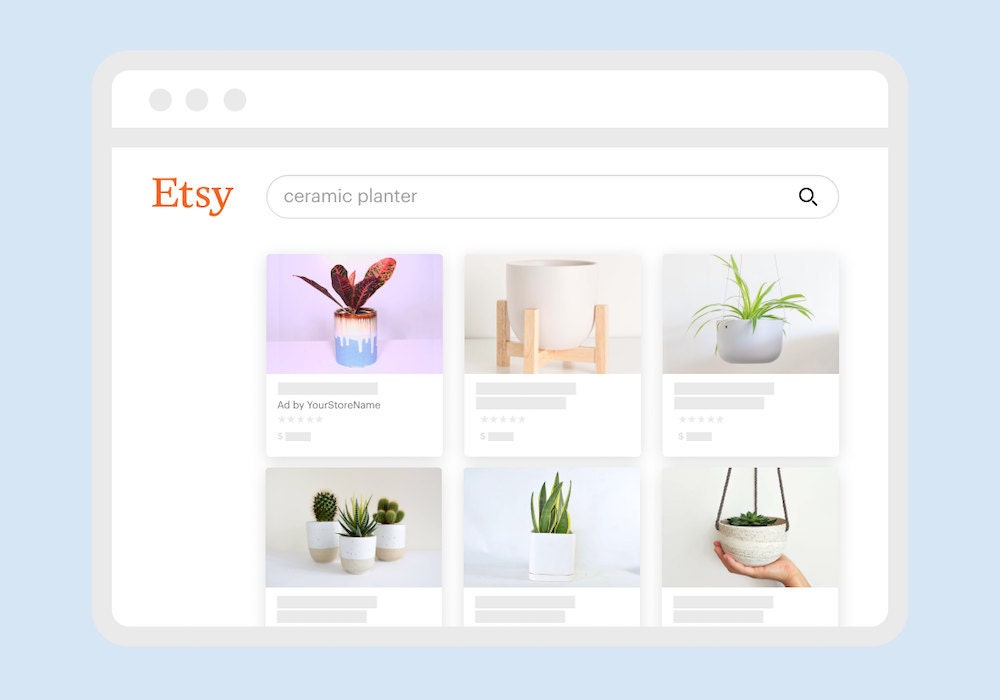
Etsy Ads make your listings more prominent for millions of buyers searching for products on the site. You set a daily budget, let your campaign run, and we’ll continually optimize how your budget is spent over time to boost your exposure in Etsy search results and other high traffic pages. If you have a daily ads budget of $25 or more, you can also choose a strategy for each listing to guide how that budget is put to work.
Read on for an overview of how to get started, from setting a budget and selecting which listings to optimize to knowing what to expect in the first 30 days.
Set your budget and start your campaign
The budget and length of your campaign are important factors in gathering performance data that accurately represents how shoppers engage with your Etsy Ads campaign.
To get the most from your test, we recommend setting a minimum daily budget of at least $3-5. When you first start running a campaign, we also recommend promoting all of your active listings. This approach helps provide the responsive Etsy Ads algorithm with the most accurate data on how shoppers are engaging with your shop.
If you set a daily budget of $25 or more, you'll unlock the ability to choose a strategy for each listing, giving you more control over how your budget is put to work across your shop. If you have a limited budget or a large shop inventory that would spread your budget too thin to provide conclusive performance results, consider these 4 Strategies for Deciding Which Listings to Promote for alternatives.
What to expect from your campaign in the first 30 days
Over the first few weeks your Etsy Ads are running, we're continually optimizing your campaign, working to get the most from your budget. Letting your campaign run for at least 30 days provides enough time for the Etsy Ads tool to collect data and optimize based on how each ad placement performs.
Phase one: You’ve set your advertising goal and set a budget that can run for at least 30 days. Over the first few weeks of your campaign, your ads are starting to connect you with more motivated shoppers searching for keywords that match your listings. When they click (or don’t), that gives us more information about which of your listings do best for that search. Here’s an overview of what the optimizations happening look like:
- First, we look for trends across Etsy to see what’s working for other sellers like you.
- All of those data insights help us decide when to show your ads so you reach just the right shoppers.
- We keep track of when shoppers click (or don’t) on one of your ads and what they searched for.
- We switch things up to see what works for you. Making small tweaks all the time means we can quickly optimize your campaign so you get even more traffic.
Don’t make any adjustments for at least 30 days—we use that time to identify trends in your traffic to get you more visits for your budget. If you make changes to your campaign during that time, we may need more time to learn what works for you.
Phase two: We’re working to optimize your campaign, and you may be seeing more clicks to your ads. If you’re not, don’t worry! It can take a few weeks to get going. If you’re hoping to drive more clicks and sales through your ads, think about the factors in your listings that might influence a buyer’s perception.
And remember, shoppers don’t always make a purchase the first time they see an ad. They’ll often come back when they’re ready to make a purchase. If a shopper makes a purchase within 30 days of clicking on one of your ads, we’ll count it as a sale from your ad campaign. You can follow along with impressions, clicks, and orders related to your advertising campaign in the Etsy Ads dashboard.
Phase three: Your Etsy Ads campaign is continuing to optimize automatically. As soon as your advertised listings start getting impressions, you can use Etsy Ads search data to hone your performance. In the dashboard, review the most popular listings and keywords for items within your campaign. Can you add more inventory to your shop that’s similar to the popular items? Have you added all of the high-performing keywords to other relevant listings?
Phase four: Phase four: Once your campaign has run for at least 30 days, it’s time to take an in-depth look at how your ads performed. The data available in your Etsy Ads dashboard can help inform which listings you continue to promote, what search terms convert best for your shop, and establish a revenue baseline that informs your advertising budget. If you have a daily budget of $25 or more, this is also a good moment to explore listing strategies. Use your 30-day performance data to decide which listings deserve greater visibility, which could benefit from a lower click cost, and which are best left to efficient spending. Find out more about measuring the results of your campaign in Understanding Your Ad Performance.
By giving your campaign time to optimize and taking time to review the results after 30 days, you can make smarter decisions about how you advertise your listings to reach more buyers.
Return to the Ultimate Guide to Advertising
 Words by Etsy Staff